|
|
|
Categories
|
|
Information
|
|
Featured Product
|
|
|
 |
|
|
There are currently no product reviews.
 ;
5 star quality on these downloadable manuals. Easy to read and all the information is there. A must when doing a custom install or needing to service your precious old school electronics.
;
So usefull to make my installation a breeze. 5 stars on quality.
;
very helpful, the information in these manuels are very detailed
;
Please tell us what you think and share your opinions with others. Be sure to focus your comments on the product. You will receive $2.00 of store credit for Your review.
;
Please tell us what you think and share your opinions with others. Be sure to focus your comments on the product. You will receive $2.00 of store credit for Your review.
Using Your New Projection TV (continued)
Watching Two Programs at One Time � PIP
The Picture-in-Picture (PIP) feature allows you to view two channels simultaneously, one in the full size �main� picture and one in a smaller �window� picture. You can move the window picture to any location on the screen. (Free Layout Picturein-Picture)
The symbol �b� or �B� indicates which picture's TV channel or input source can be changed. The symbol ��� indicates which picture's sound is being received. TV channel or inputsource mode for the main picture* (yellow6 green-colored)
10
Using the Yellow Labeled Buttons for PIP Operations
Press to display a window picture. Each time you press this button, the picture size will change (1/4 n1/9 n1/16 nno display). To close the window picture, press
POSITION
repeatedly until it disappears.
Press to change the location of the window picture (counterclockwise) around the main picture.
(under the cover)
ACTIVE
Main picture
Press to select either the main or window picture in order to change the TV channel or video source using the white labeled buttons below. The symbol �b� (or �B�) will appear to indicate which picture�s channel or input mode can be changed. To change the location of the window picture, move the joystick in any direction and release it when the picture is in the desired location.
TV channel or inputsource mode for the window picture* (white-colored) Window picture
(white labeled button)
TV/VIDEO
* It will dim in about 3 seconds.
Tip
z
If you press RESET in PIP mode, the window picture will move to the bottom right (factory-preset location).
(white labeled button)
Press repeatedly to scroll through the available video inputs for the picture on which the symbol �b� (or �B�) is displayed. (see �TV/VIDEO� on page 26)
28
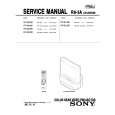 $4.99 KP61V85 SONY
Service Manual Complete service manual in digital format (PDF File). Service manuals usually contains circuit diagr…
|
|
|
> |
|