|
|
|
Categories
|
|
Information
|
|
Featured Product
|
|
|
 |
|
|
There are currently no product reviews.
 ;
So usefull to make my installation a breeze. 5 stars on quality.
;
very helpful, the information in these manuels are very detailed
;
Please tell us what you think and share your opinions with others. Be sure to focus your comments on the product. You will receive $2.00 of store credit for Your review.
;
Please tell us what you think and share your opinions with others. Be sure to focus your comments on the product. You will receive $2.00 of store credit for Your review.
;
Good copy and great customer service! There was some confusion with my order and it was resolved promptly!
To Operate Your Blender
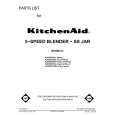
NOTE: While red indicator light is blinking or blender is on: - Do not touch blades. - Do not interfere with blade movement. - Do not remove blender jar lid. � With red light flashing, an accidental touching of a speed pad, or other circumstances may result in turning on the blender. � If blender runs when ON light is flashing, do not use. Take unit to an Authorized Service Center. (However a slight flicker is normal.) � This unit should operate only when a speed pad is pressed. Immediately press the OFF pad if the unit runs at any other time. If this occurs, do not use; take the unit to an Authorized Service Center. The KitchenAid® Professional blender has five speeds: Stir, Chop, Mix, Puree and Liquefy.
r Sti
ICATES READY S ING LIGHT IND H BLADE TOUC : FLASH NOT DO WARNING
Chop
ix M
ree Pu
TO
Liquefy
OPERATE
Pulse
Off
Ice
On
Crushing
All Speeds
NOTE: If the red indicator light is not blinking at this time, unplug blender and take unit to an Authorized Service Center. � Press the desired speed pad for continuous operation at that speed. The indicator light will glow and the red light will stay on. You may change speeds without stopping the unit by pushing the new speed pad. � If blending warm or hot foods or liquids, remove the center ingredient cap. Operate only on STIR speed. � To turn the blender off, press the OFF pad. The OFF pad will stop any speed and deactivate the blender at the same time. Before removing the blender jar, deactivate the blender by pressing the OFF pad and unplugging the power cord. Always lift jar with the handle. NOTE: Do not overprocess foods. Stop and check the consistency of foods after a few seconds.
Ultra P ower
� Before operating the blender, make sure the blender jar is properly assembled (see page 7) and in place on the blender base. Put ingredients in jar and firmly attach lid. � Press the ON pad. The red indicator light should blink on and off indicating the speed pads are activated.
Y TO ICATES READ ES IND SHING LIGHT UCH BLAD T TO : FLA DO NO WARNING
Stir
Chop
ix M
ree Pu
Liquefy
OPERATE
Off
g All Speeds Ice Crushin
On
lse Pu
Profess
iona
l
9
|
|
|
> |
|