|
|
|
Categories
|
|
Information
|
|
Featured Product
|
|
|
 |
|
|
There are currently no product reviews.
 ;
Zeer duidelijke afdrukken op A4-formaat , zeer uitgebreide handleiding . Pluspunt ,zeer snelle
respons van jullie , binnen de 24h . Top !!!
;
I AM HIGHLY IMPRESSED BY THE EASE OF USE OF THIS DOWNLOAD SERVICE. INSTRUCTIONS ARE CLEAR AND SIMPLE TO FOLLOW....EVEN BY TECHNOPHOBES SUCH AS MYSELF. THE EMAILS POINT YOU IN THE RIGHT DIRECTION...ITS SO EASY PEASY. THE DOWNLOAD CHOICE OF USER MANUALS IS EXTENSIVE AND I COULD NOT FIND A CHEAPER OR MORE EFFICIENT SERVICE ON THE INTERNET. I COULD NOT HAVE MADE A BETTER CHOICE OF INFORMATION PROVIDER. SHOULD I EVER NEED ANOTHER USER MANUAL, THEN THIS IS THE FIRST CHOICE SITE. COULD NOT BE BETTER PLEASED!!!!!!!...MANY THANXES FROM JIM BURNS
;
I was impressed with the quality of service (frequent e-mails to let you know the status of your order), and the speed at which the download became available. The manual was a life saver and was not easy to track down. Thank you for such an excellent service.
;
the manual was just what i wanted it had all the revelent information required to operate the hifi .Iwould use any manual i downloaded for any item which needs a manual
;
Die gewünschte Bedienungsanleitung wurde vereinbarungsgemäß in deutsch bereitgestellt. Sie ist gut lesbar. Kein Kauderwelsch.
Danke für den Service.
ENGLISH
4
Repeat the above procedure to store other stations into other preset numbers.
1
Select the band (FM1 � 3, AM) you want to store stations into (in this example, FM1).
FM1 FM2 AM FM3
Notes: � A previously preset station is erased when a new station is stored in the same preset number. � Preset stations are erased when the power supply to the memory circuit is interrupted (for example, during battery replacement). If this occurs, preset the stations again.
2
Tune in to a station (in this example, of 92.5 MHz).
Tuning in to a preset station
You can easily tune in to a preset station. Remember that you must store stations first. If you have not stored them yet, see �Storing stations in memory� on pages 7 and 8.
3
Press and hold the button for more than 2 seconds.
�P0� flashes on the display, showing that the station has been preset.
1
Select the band (FM1 � 3, AM).
FM1 FM2 AM FM3
2
Select the number (1 � 6) for the preset station you want.
Notes: � A previously preset station is erased when a new station is stored in the EX button. � The preset station is erased when the power supply to the memory circuit is interrupted (for example, during battery replacement). If this occurs, preset the station again.
Storing your favorite station in to the one-touch operation button (EX�extra)
You can preset an FM or AM station (such as your favorite station or traffic announcement station); and recall it by one touch operation even if the unit is turned off. Ex.: Storing an FM station of 92.5 MHz in to the one-touch operation button (EX).
To tune into the favorite station
The unit automatically turns on (if it has been off). Your favorite station is tuned in�except when the tape is playing. � If you press the button again, the last received station will be tuned in.
8
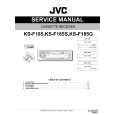 $4.99 KS-F185S JVC
Service Manual Complete service manual in digital format (PDF File). Service manuals usually contains circuit diagr…
|
|
|
> |
|