|
There are currently no product reviews.
 ;
Really good and well scanned. File is complete the full service manual for 5$
 ;
Good product and very helpfull to repair. Many thanks.
;
Very good product. Best service manual. Many thanks
;
I am only search for 5 Minute, by it in 5 Minutes to and get ist in few ours! Best i found in the Internet and my Amplifer is repaired as well! Thank you
;
Readable text and good copy. Very much needed if you wish to do some repairs on this fine old unit.
KS-FX711/KS-FX511
Removing the pinch arm (F) assembly (See Fig.11 and 12)
1. Remove the polywasher and pull out the pinch arm (F) assembly. 2. Remove the compulsion spring.
Polywasher Pinch arm (R) assembly Pinch arm (F) assembly Polywasher
Removing the pinch arm (R) assembly (See Fig.11 and 13)
1. Remove the polywasher and pull out the pinch arm (R) assembly.
Polywasher
Fig.11
Pinch arm (F) assembly
Compulsion spring
Removing the slide chassis assembly (See Fig.14 and 15)
REFERENCE: It is not necessary to remove the head and the tape guide. 1. Move the slide chassis assembly in the direction of the arrow to release the two joints l and remove from the main chassis. 2. Remove the rack link. CAUTION: When reassembling, first reattach the rack link, and next fit the boss m and hook n of the slide chassis assembly to the hole of the main chassis, and engage the two joints l.
Pinch arm (R) assembly
Polywasher
Fig.12
Fig.13
Head Tape guide Boss m
Rack link Hook n
Joint l Joint l
Slide chassis assembly
Fig.14
Fig.15
1-10
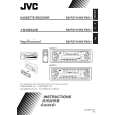 $4.99 KS-FX511 JVC
Owner's Manual Complete owner's manual in digital format. The manual will be available for download as PDF file aft…
|