|
|
|
Categories
|
|
Information
|
|
Featured Product
|
|
|
 |
|
|
There are currently no product reviews.
 ;
Excellent replacement for original Owner´s Manual. I am totally satisfied!
;
Great service. Manual is as advertised and delivered when promised.
;
Perfect quality, highly appreciated service !!!
Fast delivery of the download info, no issues at all. Recommended E-manual shop !!!
;
hi owners manual- crew,
i am very satisfied about the trade with you.
if i need some other manuals, i will contact you again.
thanks
frank kappler
;
Full Panasonic service Manual, as described, no problems
To set the clock display�CLOCK
You can set the clock to be shown on the display when the unit is turned on. When shipped from the factory, the clock is set to be shown on the display. � ON: � OFF: Clock display is turned on. Clock display is turned off. When �OFF� is selected, the other information (see table below) appears instead of the clock display (except when �LINE IN� is selected as the source).
To select the level meter�LEVEL
You can select the level meter display according to your preference. When shipped from the factory, �AUDIO 2� is selected. � AUDIO 1: � AUDIO 2: � OFF: Shows the audio level indicator. Alternates �AUDIO 1� setting and illumination display. Erases the audio level indicator.
To select the dimmer mode�DIMMER
When you turn on the car headlights, the display automatically dims (Auto Dimmer). When shipped from the factory, Auto Dimmer mode is activated. � AUTO: � OFF: � ON: Activates Auto Dimmer. Cancels Auto Dimmer. Always dims the display.
When CLOCK is set to OFF: Source Tuner TAPE or CD-CH Initial indication Band �TAPE� or disc number Clock appears for about 5 seconds. Pressing D (DISP)
When CLOCK is set to ON: Source Tuner TAPE CD-CH Initial indication Clock Clock Clock Pressing D (DISP) Band appears for about 5 seconds. �TAPE� appears for about 5 seconds. Disc number and track/ file number appear alternately each time you press the button.
Note: Auto Dimmer equipped with this unit may not work correctly on some vehicles, particularly on those having a control dial for dimming. In this case, set the dimmer mode to �ON� or �OFF.�
To select the telephone muting�TEL
This mode is used when a cellular phone system is connected. Depending on the phone system used, select either �MUTING 1� or �MUTING 2,� whichever mutes the sounds from this unit. When shipped from the factory, this mode is deactivated. � MUTING 1: Selects this if this setting can mute the sounds while using the cellular phone. � MUTING 2: Selects this if this setting can mute the sounds while using the cellular phone. � OFF: Cancels the telephone muting.
19
ENGLISH
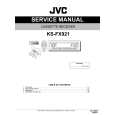 $4.99 KSFX921 JVC
Service Manual Complete service manual in digital format (PDF File). Service manuals usually contains circuit diagr…
|
|
|
> |
|