|
|
|
Categories
|
|
Information
|
|
Featured Product
|
|
|
 |
|
|
There are currently no product reviews.
 ;
It is perfect, exactly what we needed. It's like the paper version but less clutter.
 ;
Received my manual within 24 hours. Very clear scan of the manual I needed. Thanks!
;
Very clear scan, I recommend it. Definitely a must have for any 3362 owner.
Alpine could have written a slightly more complete manual, though. It's already pretty huge, but the unit has so many functions, I feel some more explanation would have been better.
Yamaha's manual of their comparable YDSP-1 is a little better in my opinion.
;
Immediate response with excellent service - highly reccommended
;
Correct manual received and of good quality but the contents of the file for the Service Manual for the same monitor is for a 20" TV not the RGB Monitor.
Storing broadcast stations in memory
KTF-3010/KTF-2010 (En)
10
The automatic memory function allows you to store up to 40 stations using only one button. The manual preset function allows you to store stations one at a time. Use the automatic memory function first.
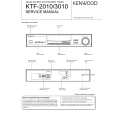
The figure shows an example for the KTF-3010
AM-FM STEREO SYNTHESIZER TUNER KTF-3010 HIGHBLEND WIDE ACTIVE RECEPTION TA/NEWS NARROW PTY/ PTY SCARCH IF BAND DISPLAY RF ATT ANT A/B MEMORY RFATT
EON RDS
TUNING/MULTI CONTROL
BAND
TUNING MODE +10/CLEAR
P. CALL DOWN UP
ON/STANDBY 1
2
3
4
5
6
7
8
9
0/CHARA.
: Keys or controls to be used in this operation.
AUTO MEMORY (Storing stations automatically in memory )
The AUTO MEMORY function automatically calls up only those stations which have RDS broadcasts for storing (up to 40 stations can be stored).
1 Switch to FM band. 2 Press and hold the MEMORY key (for more than 2 seconds).
MEMORY
The tuner completes the scanning of frequencies in 5 minutes. While scanning, "AUTO" and "MEMORY" are displayed in turn. ÷ Unless stations are stored with the automatic memory function, EON
reservation and PTY search will not work. ÷ AR will not work when the automatic memory function is on. ÷ Broadcast stations stored manually may be overwritten. ÷ Stations already stored in the preset memory may be replaced by RDS stations. (i.e., If the RDS AUTO MEMORY function finds 15 RDS stations, the stations currently preset at numbers 01- 15 are replaced by the RDS stations.) ÷ If the antenna is replaced, you will have to reset the automatic memory function. ÷ Stored stations may be erased from the memory.
MANUAL PRESET(Storing stations one at a time) 1 Tune in the station to be preset 2 Press the MEMORY key
Perform the operations in the five seconds that the display is blinking.
MEMORY
STANDBY
AR
Lights (for 5 sec.)
MEMO ANT A B STEREO TUNED AUTO kHz MHz
AM FM
01
Blinks
89 ))
Lights (for 5 sec.)
MEMO ANT A
If you press the MEMORY key when the preset number displayed is "- -", the smallest unstored number appears.
(If more than 5 sec. have elapsed, press the MEMORY key again.)
3 Select one of the preset numbers from 1 to 40.
1 Turn the TUNING/MULTI CONTROL knob.
TUNING/MULTI CONTROL
AR
15
FM
UP
9 ). ) )
38, 39, 40
STEREO TUNED AUTO MHz
The numbers 1 to 40 appear, in turn, as you turn the knob.
DOWN
01, 02, 03
2 Select the desired station.
MEMORY
Instead of steps 1 and 2, you can use the numeric keys (0~9,+10), to store the broadcast stations. Press the numeric keys (0 to 9, +10) in the following order. To select �15�...0,5 To select �20�...0,0, )
÷ Repeat steps 1 to 3 for each of the stations to be stored in memory. ÷ If a station is stored in a preset number which already stores a station memory under it, the previous memory is replaced by the new memory content. ÷ Once the memory content has been preset, it is held for about 3 days even after the power cord is unplugged from the mains outlet. ÷ You cannot enter numbers over 40. ÷ If you make a mistake when pressing the 0 key, press the 0 key several times to return to the original display before re-entering. ÷ The stored station will be erased from the memory.
|
|
|
> |
|