|
|
|
Categories
|
|
Information
|
|
Featured Product
|
|
|
 |
|
|
There are currently no product reviews.
 ;
Hello from Germany - thank you very much for the manual for my Sharp "Searcher" - the handling of your internet area is outstanding..Mike
;
I am very happy with the owner's manual. I bought a used Casio and was so relieved that I was able to get a hold of a owner's manual. It was very easy to download the manual and I had no problems with printing it. Thank you! Nancy Whalen
;
The purchased manual is an high-quality scan of the original JVC paper-based Owner´s Manual. I am very satisfied!
;
Very satisfied with received document, all is right, Thank You very much, it was a Pleasure to work with You.
 ;
great site, the most easy and fastest way to find the manual you need, no 5 star because the manual was only available in german, but I speak german as well so no problem for me.
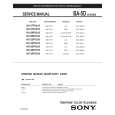
01US01COV-BR2.book Page 31 Wednesday, February 19, 2003 5:45 PM
Using the Menus
Using the Audio
Menu
Video Audio Channel Parent Timer Setup Basic
To access the Audio menu, use the following steps:
To Display To Highlight To Select
Treble Bass Balance Steady Sound: Off Effect: TruSurround MTS: Stereo Speaker: On Audio Out: Variable High frequency sound Move: Select:
Adjust
Press f to highlight an option; then press
.
End:
Treble Bass Balance Steady Sound
Press G to decrease the higher pitched sounds. Press g to increase the higher pitched sounds. Press G to decrease the lower pitched sounds. Press g to increase the lower pitched sounds. Press G to emphasize the left speaker. Press g to emphasize the right speaker. Use the F or f buttons to highlight one of the following options, then press to select it. On: Select to stabilize the volume when changing the channels. Off: Select to turn Steady Sound Off. Use the F or f buttons to highlight one of the following options, then press to select it. Simulated: Simulates theater quality sound for mono programs. WOW: Provides a dramatic presence with a full, deep bass sound. When WOW is enabled, BBE is activated to further enhance the audio performance. TruSurround: Produces a dynamic three-dimensional sound for stereo audio signals. Off: Provides normal stereo or mono reception.
to directly select Effect settings (Simulated, WOW, TruSurround, Off).
Effect
�
Press
MTS Multi-Channel TV Sound
� �
Press
to directly select MTS settings (Stereo, Auto SAP, Mono).
Use the F or f buttons to highlight one of the following options, then press to select it. Stereo: Select when viewing a broadcast in stereo. Auto SAP: Select to have the TV automatically switch to a Second Audio Program (SAP) when a signal is received. Mono: Select to reduce noise in areas of poor reception.
If your TV is set to Auto SAP, some programs may be muted or distorted. If your TV does not output sound, change your Audio MTS setting to Stereo or Mono.
31
|
|
|
> |
|