|
|
|
Categories
|
|
Information
|
|
Featured Product
|
|
|
 |
|
|
There are currently no product reviews.
 ;
Finding the owners manual for my Pioneer CRWM62R is greatly appreciated. I had searched several other web sites with no success. Although my manual was not listed on your site for immediate download, I recevied an email within a few hours that my ower's manual was posted for me. I had no difficulty downloading the manual for my 20 year old multi-cassette player. Owner Manuals provides a service that is valuable, easy-to-use, accurate , efficient, and priced fairly. I thank you.
;
Excellent manual - just what I needed. Although currently available only in German, their are lots of pictures which makes it all very clear.
;
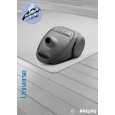
PHILIPS PE1642 Owner's Manual
Hi,
you have complet fullfilled my expectance.
Price is OK.
Robert Schmid
 ;
Came in the mail within a few hours. Gave clear instruktion on maintaines. Is of great use to have this manual in house
;
Easy to access. Clear instructions. No problems. Printed fine.
Answering System Features
Answering system
The unit contains an answering system which can answer and record calls for you when you are unavailable to answer the phone. For details about memory capacity, see page 46. Important: L Only 1 person can access the answering system (listen to messages, record a greeting message, etc.) at a time. L When callers leave messages, the unit records the day and time of each message. Make sure the date and time have been set (page 16). L You can select the caller�s recording time (page 49).
Recording your greeting message
You can record your own greeting message (max. 2 minutes) that will be played when the answering system answers a call. If you do not record a greeting message, a pre-recorded greeting message will be used. Sample greeting message: �This is (your name). We are unable to answer the phone right now. Please leave a message after the beep. Thank you.�
{GREETING REC} {GREETING CHECK}
{STOP}
MIC
1 2 3
Press {GREETING REC}. L The unit announces �To record greeting, press record again.� Within 10 seconds, press {GREETING REC} again. After the unit beeps, speak clearly about 20 cm (8 inches) away from the MIC. L The display will show the elapsed recording time. To stop recording, press {GREETING REC} or {STOP}.
4
Note: L If the greeting message is less than 1 second long, the unit beeps 6 times and announces, �Your greeting was not recorded. Record your greeting again.�
42
For assistance, please call 1-800-211-PANA (7262).
|
|
|
> |
|