|
|
|
Categories
|
|
Information
|
|
Featured Product
|
|
|
 |
|
|
There are currently no product reviews.
 ;
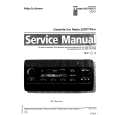
SATELLIT 4000 GRUNDIG
Service Manual
high quality. good graphics. prompt service.
;
Excellent printing quality.
A complete and very usefull service manual with all details.
GREAT SERVICE AT VERY LOW PRICE!
A+++++++++++++++++++++++++
;
Excellent printing quality.
A complete and very usefull service manual with all details.
GREAT SERVICE AT VERY LOW PRICE!
A+++++++++++++++++++++++++
;
Excellent printing quality.
A complete and very usefull service manual with all details.
GREAT SERVICE AT VERY LOW PRICE!
A+++++++++++++++++++++++++
;
Excellent printing quality.
A complete and very usefull service manual with all details.
GREAT SERVICE AT VERY LOW PRICE!
A++
DW3G
How to set up your new Hitachi LCD Television
AC CORD AND POWER SWIVEL CABLE INSTALLATION INSTRUCTION
The AC cord and power swivel cable provided with your new LCD Flat Panel Television need to be installed correctly to avoid their disconnection when rotating the TV on its Table top stand. Located on the back of the TV are 2 plastic clamps to hold the AC cord and power swivel cable. Please follow the instructions below.
³ Pass the AC cord through Clamp #1 and connect it to the TV. Pull on the clamp to tighten the AC cord to the TV. · Connect power swivel cable on one end to the swivel slot of the LCD Rear Panel. Connect the other end to the swivel slot of the Table Top Stand Base. » The AC cord, power swivel cable and the signal cables can all be held together with Clamp #2.
³
Clamp #1 : Pass the AC cord through this clamp ; then pull the clamp to tighten the AC cord to the TV.
·
Swivel slot on the LCD back panel.
» Clamp #2: Use this clamp to hold the AC cord, power
AC CORD
· Swivel slot on Table Top
Stand Base.
15
swivel connector and the signal cables.
|
|
|
> |
|