|
|
|
Categories
|
|
Information
|
|
Featured Product
|
|
|
 |
|
|
There are currently no product reviews.
 ;
Clear and concise. Saved me a lot of time and money.
;
Superb manual. Exactly what I ordered and made available in a very timely manner.
 ;
very fast detailed and accurate hope to do business again
;
This was precisely what I was looking for. Complete and good quality!
;
This is the ONLY copy of this manual I could find for a realistic price. Even Panasonic could not provide me with one.
The PDF is a very good copy and it helped me diagnose and find the fault with the unit I have.
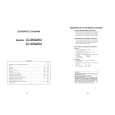
LC-26GA5U LC-32GA5U
11. Remove the two lock screws from the LCD control PWB, and detach the LCD control PWB and heat sink. 12. Remove the six lock screws from the power PWB, and detach the power PWB. 13. Remove the four lock screws from the chassis frame (S), and detach the chassis frame (S). 14. Remove the AV PWB. 14-1. Remove the six lock screws from the AV unit, and detach the AV unit. 14-2. Remove the four lock screws from the chassis frame (L), and detach the chassis frame (L) 15. Remove the four lock screws from the inverter PWB, and detach the inverter PWB. (only for LC-26GA5U) 15. Remove the four lock screws from the inverter-1 PWB, and detach the inverter-1 PWB. (only for LC-32GA5U) 16. Remove the four lock screws from the inverter-2 PWB, and detach the inverter-2 PWB. (only for LC-32GA5U) 17. Remove the hree lock screws from the inverter-GND PWB, and detach the inverter-GND PWB. (only for LC-26GA5U) 17. Remove the six lock screws from the inverter-GND PWB, and detach the inverter-GND PWB. (only for LC-32GA5U) 18. Remove the four lock screws from the reinforcement angle (bottom), and detach the reinforcement angle (bottom). (only for LC-26GA5U) 19. Remove the two lock screws from the LCD panel unit, and detach the LCD panel unit. (only for LC-26GA5U) 19. Remove the one lock screw from the LCD panel unit, and detach the LCD panel unit. (only for LC-32GA5U)
11 LCD CONTROL PWB
LC-26GA5U LC-32GA5U
17 17
LC-32GA5U LC-26GA5U
15 15
LC-32GA5U
19 Heat Sink
LC-26GA5U
19
16
Chassis Frame (L) 14-2
Chassis Frame (S)
POWER PWB
12 18 13 14-1 AV PWB 14-1 13 18
LC-26GA5U
Reinforcement Angle (Bottom)
17
|
|
|
> |
|