|
There are currently no product reviews.
 ;
FAST very good and clear a great unexpensive job!!! very recomended for all people who are preofessional or hobbists as me!!!!!!
 ;
Thank you very much for this Service Manual, it helped us a lot to repair the M-4318!
...BUT: The parts list is missing and the free parts katalog on web isn't complete, so now we don't know the part numbers of the defect parts :(
We had to build them out of a working machine, and need the numbers to reorder the missing parts now.
;
Very good manual with clear electrical diagrams. Thanks owner-manuals.
;
Great manual, thank you, sony kp46s3 service manual perfectly, i am very happy.
;
Complete original Service Manual in good (scan) quality!
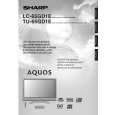
TU-65GD1E LC-65GD1E
13. Remove the 2 lock screws w and detach the Control Button Ass'y. 14. Remove the 3 lock screws e and detach the Key PWB. 15-1. Remove the 38 Lamp Ass'y lock screws 14-1 and 2 Stand lock screws 14-2 . Draw out the lower side of the Front Cabinet, detach the 2 hook of the engagement of the upper part, and detach the Front Cabinet. 15-2. Detach the Lamp Ass'y from the Stand. 16. Remove the 2 lock screws t and detach the R/C, LED PWB.
14-1
12 13
Key PWB Control Button Ass�y
14-2
Lamp Ass�y
Front Cabinet 15 R/C, LED PWB
17
17. Remove 4 FPC y from T-CON Top PWB and T-CON Bottom PWB. 18. Remove 12 lock screws u and detach the PWB Ass'y. 19. Remove the 36 lead wire from Lamps i and detach the 4 B to B connectors of each INVERTER PWB.
B to B 18
16 FPC
PWB Ass'y 18
16 FPC
B to B
21
|