Shopping cart is empty
 
English Polski Spanish 
Search For a Manual
 

(e.g. AA-V20EG JVC, ZX-7 Sony )
PayPal 1000+ rating Secure, Encrypted Checkout.
 
Categories
Information
Featured Product
Home >> OTHERS >> LINK USB Owner's Manual
 
 0 item(s) in your cart 

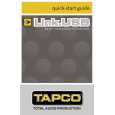
TAPCO LINK USB
Owner's Manual


Tweet about this product and get $1.00 of store credit for instant use!
  • Download
  • PDF Format
  • Complete manual
  • Language: English
Price: $4.99

Description of TAPCO LINK USB Owner's Manual

Complete owner's manual in digital format. The manual will be available for download as PDF file after You purchase it.

Owner's Manual ( sometimes referred to as User's Guide or User's Manual ) contains information on how to use Your device. After placing order we'll send You download instructions on Your email address.

The manual is available in languages: English

Not yet ready
You must purchase it first

Customer Reviews
There are currently no product reviews.
Other Reviews
 TC-K890ES SONY Owner's Manual by Jeffrey Brown;
Scan quality is very good. Price is very reasonable. If you're looking to purchase a copy of this manual, this is the one to get.
 CS-1012 KENWOOD Owner's Manual by Frode Marthinussen;
Perfect for my use.Could have better pictures,but otherwise perfect ;)
 WJ-AVE5 PANASONIC Owner's Manual by ian jackson;
This is one of four manuals I have downloaded recently. Purchase was very straight forward and the authorising email arrived in about 4 hours. The quality of the scan is good. Print is clear and square to the page edges.
 610 NAKAMICHI Owner's Manual by Christopher Schulze;
Exactly as advertized. High quality digital copy of the Nak 610 user manual. Easy download and access. Highly recommended.
 XREC11 AIWA Owner's Manual by Geoff Lowe;
The manual was exactly what I wanted and I found it nowhere else. Thanks!

Text excerpt from page 16 (click to view)
5. �New edit #1� appears at the top of the item list. An edit is Tracktion�s way of keeping a version of your song. You can rename the song by clicking on the edit and entering the new name in the properties panel at the bottom of the screen. 6. Double-click on �new edit #1� to open up the Edit screen. A new project starts with eight horizontal tracks, stacked vertically. You can add or remove tracks once you get going. Tracks can also be renamed by selecting them and typing the new name in the Properties panel.

7. The two audio icons represent the Link.USB�s two inputs. If these two icons do not appear, make sure Link.USB is selected as the audio devices under the �Settings� tab.

16
You might also want to buy

$4.99

LINK USB TAPCO
Quick Start

Quick start guide ( sometimes called quick guide ) contains most important information on how to use…
>
Parse Time: 0.249 - Number of Queries: 117 - Query Time: 0.074