|
|
|
Categories
|
|
Information
|
|
Featured Product
|
|
|
 |
|
|
There are currently no product reviews.
 ;
Generally speaking good copy; a few pages too hard contrast...
Good service and communication.
 ;
I purchased the unit from a private party and the original owners manual was not available. Having the ability to download it was extremely helpful and clarified operating the equipment immensely. This is a complicated unit and without the manual I would not have been able to maximize it's potential. Thank you.
;
Being a user of older radios of many kinds, preferring them over more modern rigs, this manual was invaluable in the programming of my two. I now know for certain what the assorted buttons functions are, and am very grateful to have found this excellent site. Many thanks for your assistance, Tony.
;
Clear and easy to read. All details as expected. Price acceptable , and quick delivery.
;
Quick response and exactly what I was looking for and at a great fair price!
If the OL (Overload) LED is blinking frequently or continuously, turn down the source signal (i.e. the mixer�s master faders).
SIG
SIG (short for �signal present�) is the lowest step in the meters� ladder. It senses the signal prior to the GAIN control, so when SIG is lit, you know the M�1200/M�1400 is receiving signal. If it�s the only meter LED lit (meaning the other meter LEDs are not lit), the M�1200/M�1400 is receiving a very weak signal (below �20 dB).
The M�1200/M�1400 amps draw their ventilation air in from the front and out through the side panels. The amp needs plenty of fresh air to stay cool. DO NOT BLOCK THE VENTILATION PORTS. See �Thermal Considerations� .
SHORT
If this LED comes on, the M�1200 or M�1400 has detected a short circuit in either of the outputs, meaning that the hot (+) and cold (�) speaker wires are touching, or a speaker itself is shorted out. Such a condition causes the M�1200/M�1400 to engage its PROTECT mode (when a signal is present), muting all signals at the amp�s outputs. This short-circuit LED is a Mackie exclusive (until the other guys �borrow� the idea) and can save precious minutes of your troubleshooting time. Without it, you�d still have speaker and amp protection (via the PROTECT circuit), but you wouldn�t be able to determine the source of the problem. But with the SHORT LED, the M�1200/M�1400 comes right out and tells you! WARNING: The SHORT LEDs indicate an unsafe condition for the power amplifier. Once the SHORT LED is lit, you must turn the power off, wait for the indicator to extinguish, and turn the power back on again to reset the amplifier. Typical causes for a �short� indication would be either a shorted speaker cable or too many speaker cabinets connected to the amplifier (i.e., the load impedance is too low). If a �short� is indicated, please check your cables. If the cabling is OK, then reduce the number of cabinets driven by the amplifier.
PROTECT
If the PROTECT LEDs are on, the M�1200/ M�1400�s output section has shut down. That, of course, means you won�t hear anything until you rectify the situation. Three things can cause the PROTECT circuit to engage: 1. Powering up the M�1200/M�1400. A builtin delay circuit saves your speakers (and ears) from the thumps or pops that can sometimes occur when powering up a system. During this 3 second delay, the PROTECT LEDs light up. 2. A short circuit (or near short) in either of the outputs. Both the PROTECT and the SHORT LEDs light up. 3. The temperature in the M�1200/M�1400 has risen to an unsafe level. The PROTECT and the TEMP STATUS LEDs light up.
PROFESSIONAL POWER AMPLIFIER
ON
OFF
POWER
13
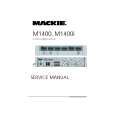 $4.99 M1400 MACKIE
Service Manual Complete service manual in digital format (PDF File). Service manuals usually contains circuit diagr…
|
|
|
> |
|