|
|
|
Categories
|
|
Information
|
|
Featured Product
|
|
|
 |
|
|
There are currently no product reviews.
 ;
It is perfect, exactly what we needed. It's like the paper version but less clutter.
 ;
Received my manual within 24 hours. Very clear scan of the manual I needed. Thanks!
;
Very clear scan, I recommend it. Definitely a must have for any 3362 owner.
Alpine could have written a slightly more complete manual, though. It's already pretty huge, but the unit has so many functions, I feel some more explanation would have been better.
Yamaha's manual of their comparable YDSP-1 is a little better in my opinion.
;
Immediate response with excellent service - highly reccommended
;
Correct manual received and of good quality but the contents of the file for the Service Manual for the same monitor is for a 20" TV not the RGB Monitor.
E6170UD_EN_QX4_1217
12/17/04
5:44 PM
Page 37
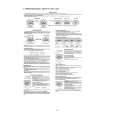
Black Level, Virtual Surround 37
Black Level
Adjust Black Level to brighten the DVD or Video CD picture.
2
ON
1 2
During DVD or Video CD playback, press MODE so the Black Level icon shows in the top left corner of the TV screen.
1
Within 10 seconds, press s, B, or OK repeatedly to choose ON or OFF. ON brightens the dark parts of the picture. OFF shows the original picture as recorded.
Virtual Surround
You can enjoy improved stereo sound when you play DVDs, Audio CDs,Video CDs, or MP3 Files recorded in Dolby Digital or Pulse Code Modulation (PCM). Check the Disc case for details on availability.
2
1 2
During Disc playback, press MODE repeatedly until the Virtual Surround icon appears in the top left corner of the TV screen. While the Virtual Surround icon appears, press s, B, or OK to choose 1, 2, or OFF. The default setting is OFF. The icon will disappear after about 10 seconds.
1
Helpful Hints
� Black Level is not available for a PAL DVD. � Virtual Surround is available only when the Player is connected to a Stereo or TV using the red and white AUDIO OUT jacks on the Player. � For Audio CDs and Video CDs, you can adjust Virtual Surround only if you set Stereo Sound to Stereo. Details are on page 32. � The Black Level and Virtual Surround settings will be saved even if the Player is turned off.
OFF
|
|
|
> |
|