|
There are currently no product reviews.
 ;
Very good quality scan of the document. I am very pleased with what I got.
;
PDF Contains
Technical Data, Mechanical data, Detailed Circuit diagram with components value, PCB layout. Actual PCBs Print. Component List, Spare parts code list and Input output detail. It cover LBB1211, LBB1212, LBB1213, LBB1216, LBB1217.
It is the actual Service Manual for SQ10
;
very good manual with clear electrical schemes. Very helpful to find wat was wrong inside my microwave.
 ;
Hi, thankyou for providing the Nordmende Globetrotter original manufacturer's repair manual. Quality is very good and sharp - the PDF file was comfortably small to download. The only question is: why did it take so long to become ready for download?? Many thanks anyway, I fixed the fault in the radio thanks to the circuit.
regards: Nick
;
This was super service.Ordered this manual and was reading the download an hour later
SECTION 1 GENERAL
Location of controls
This section is extracted from instruction manual.
Setting the clock
The clock uses a 24-hour digital indication. Example: To set the clock to 10:08
1
D I SC +
-P
R
S
PTY
DSPL LIST
OPEN D-BASS TA
AF
Press (MENU), then press either side of (DISC/PRST) repeatedly until �CLOCK� appears.
MENU
T +
SOURCE SOUND
P RS
-SEEK/AMS
ENTER
TREP SHUF
OFF
-
D IS C �
MODE
1
2
3
4
5
6
1 Press (ENTER).
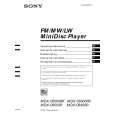
MDX-C6500RX/C6500R /C6400R
The hour indication flashes.
Refer to the pages listed for details. 1 Volume control dial 19 2 MENU button 8, 10, 12, 13, 14, 15, 16, 18, 19, 21, 24 3 DISC/PRST +/� (cursor up/down) buttons 8, 10, 12, 13, 14, 15, 16, 18, 19, 20, 21, 24 During CD/MD playback: Disc change 10, 13 During radio reception: Preset stations select 16 4 Z (eject) button (located on the front side of the unit behind the front panel) 9 5 DSPL/PTY (display mode change/ programme type) button 9, 10, 12, 17, 20 6 LIST button 12 List-up 13 7 SOURCE (TUNER/CD/MD) button 8, 9, 10, 13, 15, 16, 19 8 Display window 9 OPEN button 7, 9, 26 q; D-BASS button 25 qa SOUND button 23 qs Reset button (located on the front side of the unit behind the front panel) 7 qd OFF button* 7, 8, 9 * Warning when installing in a car without ACC (accessory) position on the ignition key switch Be sure to press (OFF) on the unit for two seconds to turn off the clock display after turning off the engine. When you press (OFF) only momentarily, the clock display does not turn off and this causes battery wear.
After the clock setting is completed, the display returns to normal play mode.
Tip You can set the clock automatically with the RDS feature (see page 17). Note In the initial setting, the clock indication appears while the unit is turned off. When the D.INFO mode is set to ON, the time is always displayed (page 24).
qf SEEK/AMS �/+ (cursor left/right) buttons 8, 10, 12, 14, 16, 18, 19, 21, 23, 24 Automatic Music Sensor 10, 14 Manual Search 10 Seek 15, 16, 18 qg ENTER button 8, 10, 12, 13, 14, 15, 16, 18, 19, 20, 21, 24 qh MODE button 19 During CD or MD playback: CD/MD unit select 9, 13 During radio reception: BAND select 15, 16 qj Receptor for the card remote commander qk Number buttons During radio reception: Preset number select 15, 16, 18, 19 During CD/MD playback: (1) REP 11 (2) SHUF 11 ql AF button 17, 18, 19 w; TA button 18, 19
2 Press either side of (DISC/PRST) to set the hour.
3 Press the (+) side of (SEEK/AMS).
The minute indication flashes. 4 Press either side of (DISC/PRST) to set the minute.
2
Press (ENTER).
The clock starts.
3
|