|
|
|
Categories
|
|
Information
|
|
Featured Product
|
|
|
 |
|
|
There are currently no product reviews.
 ;
Great price for the manual and easy to locate on the site and download. I would buy again.
 ;
Very good copy of Manual, clear and easy to print off, arrived very promptly and reasonably priced. Thanks, I will use you again
;
The service manual when downloaded and printed out was clear and easy to read. The manual is complete with the schematic diagram and technical data. I occasionally require a manual and now having registered with this company I shall order from them in the future.
;
Great manual, great price. I am very pleased with Owner-Manuals.com, quick service, fast communication. Will definitely use this site again.
;
Hello from Germany - thank you very much for the manual for my Sharp "Searcher" - the handling of your internet area is outstanding..Mike
Turning the Power ON/OFF
G Preparation
G
Set the BATTERY switch to ON. (
p. 30)
Turning the Power ON/OFF Press and hold the POWER button.
Holding down the button of the wired remote control (supplied with the MEGF60, MEGF40) for 2 seconds or longer will also turn the power on or off.
The power cannot be turned on or off during the HOLD condition. Switch off HOLD and then press the POWER button. When the gigabeat is used for the first time or when turning on the power for the first time after resetting ( p.68) or after the battery became exhausted and was subsequently charged, a DATE/TIME Setup window will be displayed. Set the DATE/TIME ( p.65). When not playing music and not in use of the screen and power will turn off automatically. While connected to the AC adapter, the screen will darken, but it will not go off. See �BACKLIGHT OFF TIME� ( See �AUTO POWER OFF� ( p. 62). p. 62).
Welcome Getting Ready Using the Product Other Helpful Information
When the screen is off, the press of a button on the side of the gigabeat will light the screen and the gigabeat will receive the input of that button. When the screen is off, operation of the Plus Touch will light the screen, but that input will not be received by the gigabeat.
33
gigabeat F60/40/20_OP33_39(U) 33 05.4.15, 11:54 AM
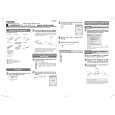 $4.99 MEGF10 TOSHIBA
Quick Start Quick start guide ( sometimes called quick guide ) contains most important information on how to use…
|
|
|
> |
|