|
|
|
Categories
|
|
Information
|
|
Featured Product
|
|
|
 |
|
|
There are currently no product reviews.
 ;
A comprehensive Operating and Service Manual. All schematics are complete and easy to read. The PCB drawings and complete parts list are very helpful. I would definitely recommend this manual.
;
SCANNING OF HIGH QUALITY
VERY, VERY HIGH VELOCITY DOWNLOAD
VERY GOOD PRICE,
TRUE SATISFIED, THANKS
;
Genuine Toshiba owner's manual. Couldn't really ask for more. And written in understandable English in contrast to a few recent experiences I have had with manuals for other equipment other than Toshiba but made in China and written in "Chinglish"!
;
I purchased a vintage Sony mixer off eBay and within the hour was able to locate and purchase the manual for it.I mean really,where else can you find a manual for a product made in 1983!? It was easy to find and purchase/download the manual I needed.I will use this site again for other equipment I have! Great site!
;
manual de usuario perfecto y completo de buena calidad de impresion y muy detallado ideal !
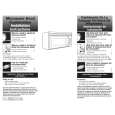
To Remove and Replace Charcoal Filter: OVEN CAVITY
Do not use soap-filled scouring pads, abrasive cleaners, steelwool pads, gritty washcloths or some recycled paper towels. Damage may occur. The area where the oven door and frame touch when closed should be kept clean. Average soil â� Mild, nonabrasive soaps and detergents: Rinse with clean water and dry with soft, lint-free cloth. Heavy soil â� Mild, nonabrasive soaps and detergents: Heat 1 cup (250 mL) of water for 2 to 5 minutes in oven. Steam will soften soil. Rinse with clean water and dry with soft, lint-free cloth. Odors â� Lemon juice or vinegar: Heat 1 cup (250 mL) of water with 1 tbsp (15 mL) of either lemon juice or vinegar for 2 to 5 minutes in oven. 1. Unplug microwave oven or disconnect power. 2. Remove the 2 mounting screws located above the cover. Then loosen the 2 inner screws.
3. Tilt vent grille forward and lift to remove. 4. Slide filter back slightly, lift front end, and pull filter out.
OVEN DOOR EXTERIOR
â�
Glass cleaner and paper towels or nonabrasive plastic scrubbing pad: Apply glass cleaner to soft cloth or sponge, not directly on panel. 5. Install new charcoal filter. 6. Replace vent grille and mounting screws. 7. Plug in microwave oven or reconnect power.
TURNTABLE
Replace turntable immediately after cleaning. Do not operate the microwave oven without the turntable in place.
â� â�
Replacing Cooktop Light
The cooktop light is a candelabra base 30-watt bulb. See �Assistance or Service� section to reorder.
Mild cleanser and scouring pad Dishwasher
To Replace:
Replacing Filters
The grease filters should be removed and cleaned at least once a month. Do not operate the microwave oven or exhaust fan without the grease filters in place. The charcoal filters cannot be washed and should be replaced every 6 to 12 months. See �General Cleaning� for cleaning instructions. See �Assistance or Service� to reorder filters.
1. Unplug microwave oven or disconnect power. 2. Remove the bulb cover mounting screw.
1
To Remove and Replace Grease Filters:
1. Unplug microwave oven or disconnect power. 2. Remove each grease filter by sliding filter to the end. Pull tab down until the filter drops out.
1. Mounting screw
3. Replace light. Close bulb cover. Replace mounting screw. 4. Plug in microwave oven or reconnect power.
1
1. Tabs
3. Replace grease filter by inserting one end of the filter into the outer end of the frame. Swing the other end up and slide into position. 4. Plug in microwave oven or reconnect power.
13
|
|
|
> |
|