|
There are currently no product reviews.
 ;
This is a great manual. It was easy to read and very accurate. The size of the manual is small so email is no problem. I highly recommend it. The manual is very hard to find other than this website.
;
Manual was complete and available promptly, since I had lost my original manual. Very good response.
;
Whilst this is a photo copy, and some of the pages are a little askew, it was all readable and intact. A real bonus finding an old manual for a classic piece of kit that no other site had.
Great stuff.
;
excellent quality, contains circuits and scan quality, 110 pages
;
It was easy done, and I got exactly what I was looking for.
The oven
light
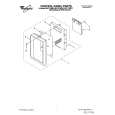
1. Turn off power at the main power supply.
5. Lift up the bulb holder. 6. We recommend replacing the bulb with a candelabra-base 30-watt bulb available from your authorized Whirlpool service company (Part No. 4158432). 7. Replace the bulb holder and mounting screw.
2. Remove the vent cover mounting screws. 3. Tip the cover forward, then lift out to remove.
6. Slide the top of the vent cover into place. Push the bottom until it snaps into place. Replace the mounting screws. Turn the
power back on at the main power supply.
4. Remove bulb hokfer mounting screw.
47
|