|
|
|
Categories
|
|
Information
|
|
Featured Product
|
|
|
 |
|
|
There are currently no product reviews.
 ;
It is perfect, exactly what we needed. It's like the paper version but less clutter.
 ;
Received my manual within 24 hours. Very clear scan of the manual I needed. Thanks!
;
Very clear scan, I recommend it. Definitely a must have for any 3362 owner.
Alpine could have written a slightly more complete manual, though. It's already pretty huge, but the unit has so many functions, I feel some more explanation would have been better.
Yamaha's manual of their comparable YDSP-1 is a little better in my opinion.
;
Immediate response with excellent service - highly reccommended
;
Correct manual received and of good quality but the contents of the file for the Service Manual for the same monitor is for a 20" TV not the RGB Monitor.
8.
AMP (Amplifier)
� SYNTH
These parameters specify the volume. The sound that is created by passing through the oscillator and filter is amplified by the amp. "LEVEL" (knob 1) adjusts the volume. "KBD TRACK" (knob 4) adjusts how keyboard tracking will affect the volume, and "DISTORTION" (knob 3) specifies whether the sound will be distorted. You can use "PANPOT" (knob 2) to set the pan (stereo position of the sound).
LEVEL [0...127] Adjusts the volume of the timbre. If the "SINGLE/LAYER" is Layer, this setting will adjust the volume balance between timbre 1 and timbre 2.
PANPOT [L63...Center...R63] Adjusts the location of the sound in the stereo field. L63( ) is far left, Center ( ) is center, and R63 ( ) is far right.
DISTORTION [OFF, ON] Specifies whether distortion will be applied to the output of the timbre. The degree of distortion is adjusted by the output level of each oscillator in the MIXER.
OFF ( ): Distortion is off. ON ( ): Distortion is on.
KBD TRACK [-63...63] Specifies how keyboard tracking will affect the volume. With positive (+) settings, the volume will increase as you play above the C4 note on the keyboard, and
will decrease as you play below C4. With negative (-) settings, the volume will decrease as you play above the C4 note on the keyboard, and will increase as you play below C4.
Keyboard Track operates according to the pitch that is controlled by pitch bend, and transpose. It is not affected by pitch changes produced by vibrato or Virtual Patch.
27
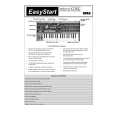 $4.99 MICROKORG KORG
Quick Start Quick start guide ( sometimes called quick guide ) contains most important information on how to use…
|
|
|
> |
|