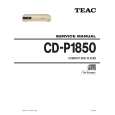
The manual was made available promptly. I is a clean scan of the original. I had no problem downloading it. The scan was well centered and cleanly formatted. It is as good a product as can be had without being the original document.
Received downlink in less then 8 hours, Item was in good copy condition, and told me how to program the clock timer. The price was very resonable, and the process was very automated and was GREAT to work with.
I was very pleased with the manual I got for my amateur (ham) radio. Without it I could not figure out how to input and/or change the P/L setting on my radio. It drove me nuts as the radio was essentially useless. That all changed when my manual came. Then it took only minutes and I was done. Now my radio works fine. This is an exceptionally good resource as it's a very easy and user friendly download. Thank you very much! Dziękujemy za!
It answered my question, which was how to load the paper. I did notice that the very end of the manual was not visible.
Text excerpt from page 5 (click to view)
Panel Descriptions line voltage be interrupted due to a power blackout or power cord disconnection.
3. OUTPUT Jack
Connect this jack to the input of a guitar amp or another effects processor.
2. CHECK Indicator
This indicator shows whether the effect is on or off, and also doubles as the battery check indicator. The indicator lights when the effect is on. * If you're powering the unit with a battery and the CHECK indicator goes dim�or doesn't light at all�when you try to turn the effect on, the battery is near depletion and should be replaced. For instructions on changing the battery, refer to �Changing the Battery� (p. 11). * The CHECK indicator shows whether the effect is being applied or not. It does not indicate whether the power to the device is on or not.
4. Pedal Switch
This switch turns the effect on/off.
5. Thumbscrew
When this screw is loosened, the pedal will open, allowing you to change the battery. * For instructions on changing the battery, refer to �Changing the Battery� (p. 11).
6. INPUT Jack
This jack accepts signals coming from a guitar or other musical instrument, or another effects unit. * The INPUT jack doubles as power switch.