|
|
|
Categories
|
|
Information
|
|
Featured Product
|
|
|
 |
|
|
There are currently no product reviews.
 ;
The manual was exactly what I wanted and I found it nowhere else. Thanks!
;
Having purchased a 1994 Kenwood music system from a Charity shop in 2013 (it was a high end product in its day), I found myself not quite knowing where to plug in what, and how to do this, that and the next thing. I needed a Manual, and after failure with another online 'Manual provider' I found Owner Manuals dot com. Well, I wasn't sure, but it was only $5, and if things didn't work out, I wouldn't have lost much...
But things DID work out. After paying my childrens inheritance money, $4.99, I was sent a Manual for my Kenwood System very quickly. Alas, it was in German, and being Scottish, I could not read it or get my system in order from it...a rapid email to them brought the English Manual in short order, and my retro-system was and IS up and running in it's regulation settings.
I am very grateful to http://www.owner-manuals.com for their quick service and for even having such an obsolete Manual in the first place! If you need a Manual for ANYTHING, try here first. I wouldn't be surprised if I bought a 1928 Marconi radio, and got the user Manual for THAT here too!
Top marks.
John Copeland
Glasgow
Scotland
;
I was so happy that the owner's manual was available. It is well written and helped me to use the radio/CD player/recorder without problems. Thanks for making it available.
Irene Lambert
;
Excellant!!! Very quick and easy....Best $4.99 I have spent in a very long time..
I highly recommend this.
;
Thanks so much for the Owner's manual for my Sony PS - FL1. I had purchased the turntable off of eBay. It came in and looked great. Packed well and appeared to be great. I balanced and aligned the tone are and hooked it up. When trying to play a record the tone are would move to the right place and just before it would drop to play it moved back off the edge of the record before touching down. I searched the net for an answer to this issue. No luck. Then I purchased the owners manual and sure enough there was a place to adjust where the stylus touched down. That adjustment solved the problem and saved me a $35 feet to have the player checked out. The manual is well written and easy to understand. It is a must have for anyone with this front loading Sony turntable.
Operating
Time-of-Day Clock
Basics .......................... ... ...... ... ...... .....
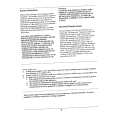
� After plugging in the oven or after a power outage, the Display will flash "1:00", "T/TABLE ON". Set the clock following the directions above. The "time-of-day" clock is a 12 hour clock. If set, the time of day will always be displayed when no other cooking function is being used. The time of day returns to the current time when the oven turns off.
Basic instructions 1. Touch the CLOCK/AUTO START Pad. The Display will show "CLOCK". 2. Set the time of day by touching the appropriate numbers. 3. Touch the CLOCK/AUTO START Pad. The colon will flash. � � �
ee_e_e_t_ee__ee_e_oeee_e_ee_Ie_Qe_e_o�e_ee�_eo_e_ee
Cook Time
Level
* Note: Full power is automatic. If you wish to use a different power level, touch the POWER LEVEL Pad. Enter the power level desired by touching the appropriate number pad. (See Cooking Guide on page 9). Start with the shortest recommended time and add more time as needed. Check the food as it cooks. The oven door can be opened any time during operation. It will automatically stop and maintain the time setting until the door is closed and the START Pad is touched again. � If the START Pad is touched and the oven does not operate, check the area between the door and door seal for obstructions. The oven will not start until the door is completely closed.
Basic Instructions 1. Touch the COOK TIME Pad. 2. Enter the cooking time by using the number pads. For example, for 1 1/2 minutes touch numbers 1, 3, 0.* 3. Touch the START Pad. � � � � The cooking time will appear in the Display Window. The oven will start cooking and time countdown will begin, The oven will stop automatically when the time is done and beep three times. "END" appears in the Display. � � �
8
|
|
|
> |
|