|
There are currently no product reviews.
 ;
It was just what I needed. Thanks for your quick action and great price. You guys are top notch.
Thanks
 ;
Excellent manual, complete, great resolution, easy to read especially the schematics. Thank you !
;
Fast delivery, excellent resolution and complete. And above all, the best price ever !
;
Vielen Dank,
das war eine prima Sache. Habe das Serviceheft nach 3 Stunden herunterladen können. Qualität OK. Hat mir mit Erfolg bei der Fehlersuche und Reparatur meines
Nordmende Galaxy Mesa 9000 geholfen. Ich kann diesen Service bestens weiterempfehlen
A very good service.
Thank You!
;
everything i needed. it was easy to get. and this site is now my go to site for manuals.
MV-101 SECTION 1 GENERAL
This section is extracted from instruction manual.
Location of controls
POWER
DISC IN
MV-101
POWER
DISC IN RESET
MV-101
1 POWER (on/off) button* To turn on/off the player, press and hold the POWER button until the green light of the button is turned on/off. 2 DISC IN light When a disc is in the player, the DISC IN light glows orange. 3 Receptor for the card remote commander 4 u (play/pause) button 5 x (stop) button 6 Disc slot 7 Z (eject) button Available to eject a disc from the player even when the player is turned off. 8 RESET button 9 > (next) button q; . (previous) button
* Warning when installing in a car without an ACC (accessory) position on the ignition key switch Be sure to press and hold the POWER button (1) on the player until the green light of the button is turned off. Otherwise, the player is not turned off and this causes battery drain.
Note Even when the player is turned off, you can eject a disc from the player, though you cannot insert a disc.
4
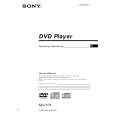 $4.99 MV-101 SONY
Owner's Manual Complete owner's manual in digital format. The manual will be available for download as PDF file aft…
|