|
|
|
Categories
|
|
Information
|
|
Featured Product
|
|
|
 |
|
|
There are currently no product reviews.
 ;
The service manual was very usable and clear enough to see the individual values of all of the components (unlike some of the service manuals I have gotten in the past from web sites similar to this one). The price was right and the information was greatly appreciated. It helped me with an otherwise very difficult repair. It was much needed and appreciated. A faster turn around on my order would be nice, but I understand the constraints on your staff's time. Thank you for your service.
 ;
Excellent manual. Helped me out with disassembling and troubleshooting my projector.
;
thanks you are the best.Very good detail, Quick service response. A useful service manual with all details.
;
Great service!!! Polecam gorąco wszystkim zainteresowanym
;
I liked the price plus it had everything i needed to service the tv.
thankyou Tim Hertz
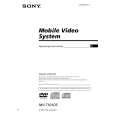
MV-7101DS
Ver 1.1
DVD player MV-101
POWER
DISC IN
MV-101
POWER
DISC IN RESET
MV-101
Refer to the pages listed for details. 1 POWER (on/off) button The player doesn't turn on, when the monitor is turned off. Turn on the monitor first. To turn on/off the player, press and hold the POWER button until the green light of the button is turned on/off. 2 DISC IN light When a disc is in the player, the DISC IN light glows orange. 3 Receptor for the card remote commander 4 u (play/pause) button 5 x (stop) button 6 Disc slot 7 Z (eject) button Available to eject a disc from the player even when the player is turned off. 8 RESET button 9 > (next) button q; . (previous) button Cautions The player doesn't turn on, when the monitor is turned off. �To turn on the player, press (POWER) on the monitor or (MONITOR POWER) on the card remote commander. The player turns on in conjunction with the monitor. �If the player does not turn on in conjunction with the monitor, press (POWER) on the remote commander or on the player until the green light of the POWER button (1) on the player lights up.
Note Even when the player is turned off, you can eject a disc from the player, though you cannot insert a disc.
6
|
|
|
> |
|