|
|
|
Categories
|
|
Information
|
|
Featured Product
|
|
|
 |
|
|
There are currently no product reviews.
 ;
Fint forløb med levering af manualen. Kvaliteten af skanningen betegnes som middel
 ;
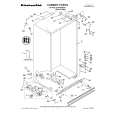
I found the manual to be clear concise and complete. It was of immense assistance when removing the unit as the unit was over 22 years old and the wiring diagram was unobtainable from the manufacturer. The exploded drawings were clear as were the instructions and labels.
;
I will highly recommend this seller. They are honest, accurate, fast and responsible.
;
This manual was very good & was very helpful with repairs.
Always great & fast service from Owner's manual.
;
Very pleased with the quality of the scan. No complaints whatsoever.
3-1
3-1
DISASSEMBLY INSTRUCTIONS
Dismantling of the Front Panel Assembly
1) Open the DVD Tray by using the Open/Close Button while the Set is ON and disconnect the mains supply after removing the Tray Cover. 2) Return the set to its upright position and remove the Tray Cover as shown in Figure 3 and close the tray manually by pushing it back in. 3) Loosen 9 screws and remove the Top Cover by lifting the rear portion upwards before sliding it out towards the rear. - 5 screws on the back - 2 screws each on the left & right side 4) Loosen 7 screws & lift up the top edge of Front Panel assembly to free some catches before sliding it out towards the front. - 4 screws on the bottom - 1 screw "C" on the inside as indicated in Figure 5. - 1 screw each on the left & right side
2mm
Dismantling of the Main Board 1) Loosen 5 screws "B" on the top of main board as shown in figure5.
2) Loosen 9 screws "D" at the back panel as shown in figure 6. 3) Remove all connectors on the RGBScart and main board.
Note: If this is not possible, the DVD Tray has to be open manually.
Take a mini screw driver about 2mm diameter and make a marking 24mm from the tip as shown in figure 2. place the set on its side, insert the mini screw driver till the marking and slide it towards the right as shown in figure 1 until the Tray moves out of the Front Panel.
B
RGB Jack use for MX3600/37 ; MX3700/37S Scart Jack use for MX3800/22S only
C
Repeat
Figure 5
D
Figure 1
Marking just outside the slot on the rear cabinet.
Figure 6
Dismantling of the Servo Board
1) Loosen 4 screws "A" to remove the Servo Board from the DVD Module as shown in figure 4
Dismantling of the Tuner Board 1) Loosen 4 screws "E" on the bottom cover as shown in figure 7.
3) Loosen 4 screws "F" at the top of the Power Board as shown in figure 8
24mm
Figure 2
A
F
E
Figure 3
Note: Do not lost the limited parts of the Servo board
Figure 4
Figure 7
Figure 8
|
|
|
> |
|