|
|
|
Categories
|
|
Information
|
|
Featured Product
|
|
|
 |
|
|
There are currently no product reviews.
 ;
Excellent copy that was delivered within 12 hours and solved my problem.
 ;
I did not have the manual for a Whirl Pool gas dryer, therefore I purchased it from Owner-manuals. This is exactly what I needed. Thank you for the service.
;
I was so pleased to get the owner`s manuel within one hour! Thanks again.
Regards
Werner
;
Finding the owners manual for my Pioneer CRWM62R is greatly appreciated. I had searched several other web sites with no success. Although my manual was not listed on your site for immediate download, I recevied an email within a few hours that my ower's manual was posted for me. I had no difficulty downloading the manual for my 20 year old multi-cassette player. Owner Manuals provides a service that is valuable, easy-to-use, accurate , efficient, and priced fairly. I thank you.
;
Excellent manual - just what I needed. Although currently available only in German, their are lots of pictures which makes it all very clear.
Messages
One of the following messages may appear or flash in the display during operation.
Blank Disc The inserted recordable MD is new, or all tracks on the MD have been erased. Cannot Copy An attempt was made to make a second copy from a digitally dubbed MD (page 47). Cannot Edit � You tried to edit in Program or Shuffle Play mode. � The track is recorded in MDLP mode. � The MD is record-protected. CD Error! An operational error has occurred in the CD player section. Wait a few seconds, and then try the operation again. Disc Full! The MD is full (see System Limitations on page 47). Edit NOW You pressed ?/1 while in S.F Edit (changing the recording level after recording, Fade-in, Fade-out) mode. If you turn off the deck while in S.F Edit mode, any changes that you have made will not be made properly. Finish the changes and leave S.F Edit mode before turning off the deck. Impossible You tried to make an impossible editing operation (page 30). Incomplete! Adjustment of the recording level after recording or Fade-in and Fade-out procedures have failed since the deck was either subject to vibration or there is a damaged or dirty disc in the tray. Initialize (flashing when you turn on the deck) The power was off for a long time, so the deck is initializing itself. Name Full! The title capacity of the MD has reached its limit (about 1,700 characters). No Change While attempting to change the recording level after recording, you pressed YES (or AMS) without actually changing the recording level, so no change was made.
�No Disc� There is no disc in the MD deck, or no disc in the CD player. No Name The disc or track has not been labeled. Premastered An attempt was made to record on the premastered MD. Retry The deck is retrying reading data from the CD during High-Speed CD-MD Synchro Recording (page 29). Step Full! You tried to program more tracks (steps). TrProtected Tracks and other data that have been checked out on Net MD equipment are protected, so you cannot use some of the MD editing functions.
45GB
Troubleshooting
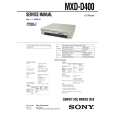 $4.99 MXDD400 SONY
Service Manual Complete service manual in digital format (PDF File). Service manuals usually contains circuit diagr…
|
|
|
> |
|