|
|
|
Categories
|
|
Information
|
|
Featured Product
|
|
|
 |
|
|
There are currently no product reviews.
 ;
The schematic is very helpful and the images are very good.The schematic is very helpful and the images are very good.The schematic is very helpful and the images are very good.The schematic is very helpful and the images are very good.The schematic is very helpful and the images are very good.The schematic is very helpful and the images are very good.
;
Welcome. The scheme is clearly helped me to repair. Worth to download it.
 ;
Excellent manual, very clear, technical specification provided, useful information regarding adjustment and set up.
;
fast and easy and exactly what I was looking for. Not the cheapest but value for money after all.
;
The manual for the Sansui P-L75 was not one of the more informative turntable manuals around but for $5 it was helpful enough.
MX-K1
Removing the cassette deck heads (See Fig.21 and 30)
Prior to performing the following procedures, remove the top cover. Also remove the CD changer unit. Also remove the front panel assembly. 1. Remove the five screws "O" that retain the cassette deck mechanism. 2. Remove the cassette deck mechanism and place it so that the front side faces up. 3. Remove the solder from the bottom side of the head terminal and disconnect the wire. 4. Remove the screw "U" that retains the head. 5. Loosen the screw "V" that retains the head. 6. Hold the head and slide it in the direction of the arrow to remove it.
Cassette deck mechanism (Front side)
PB Head
REC/PB Head
V
U
V
U
Fig.30
Removing the 3-pin regulator (See Fig.31 and 32)
Prior to performing the following procedures, remove the top cover. Also remove the rear panel. (See Fig.33) 1. Remove the screw "W" that retains the bracket holding the 3-pin terminal regulator. 2. Remove the solder fixing the 3-pin regulator.
Power amp and supply PCB
Heat sink
W
Fig.31
Power amp and supply PCB
Heat sink
Solder on the 3-pin regulator
Fig.32
1-16
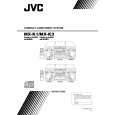 $4.99 MX-K1 JVC
Owner's Manual Complete owner's manual in digital format. The manual will be available for download as PDF file aft…
|
|
|
> |
|