|
|
|
Categories
|
|
Information
|
|
Featured Product
|
|
|
 |
|
|
There are currently no product reviews.
 ;
ecelent I was reciver the service manual soon I fell so happy very complete 100% positive all by this store tanks atte Luis salazar
 ;
A great copy of the manual, and the only one I could find anywhere on the net! The circuit diagrams are easily readable, all component values marked and easy to see. A highly appreciated download!
;
Great Manual. This manual is available no where else. It was exactly what I was looking for.
;
The TEAC A-1500's Service Manual was instrumental in reviving this classic reel-to-reel. Not only does it have the schematics, exploded parts diagram and parts list, it also provided mechanical adjustment information that approximate factory default settings.
;
This service manual was determinant to enable to fix my Alpine Amplifier. I am pleased with my purchase. For a 5 star rating I would like to see a higher resolution scan of the printed circuit board lay-out because the gray scale grafics was dificult to see. Also some schematic diagrams were scanned at a slight angle. Never the less, it had all information I needed to troubleshoot and service my equipment.
n Removing the CD pickup (See Fig.18)
n
Prior to performing the following procedures, remove the top cover and both sides board. Also remove the CD changer unit. Also remove the CD changer mechanism.
n n
1. Widen the section "f". 2. While keeping the section "f" wide open, push the section "g" in the direction of the arrow to remove the shaft, and then remove the CD pickup.
n Replacing the loading motor and rotor belt
of the CD changer (See Fig .19)
n
Prior to performing the following procedure, remove the top cover. Also open the CD changer tray.
n
1. Remove the two screws "L" retaining the CD changer tray loading motor. 2. Remove the two screws "M" retaining the gear plate and take it out, after remove the rotor belt from the pulley.
nReplacing the CD turn table and removing the motor (See Fig. 20 and 21)
n
Prior to performing the following procedures, remove the top cover. Also remove the CD changer unit.
n
1. Remove the one screws "N" retaining the CD (Turn table). 2. Remove the two screws "O" retaining the stopper brackets on both sides of the CD changer unit. 3. Remove the stopper brackets from both sides of the CD changer unit. 4. Pull out the CD tray from the CD changer unit, all the way and lift the tray (u/~ ward) to remove. 5. Remove the gear and after push out the tray motor locker and pull out the tray motor from the CD tray.
1-12
 $4.99 MX-K30 JVC
Circuit Diagrams Set of circuit diagrams. The diagrams will be provided as PDF file. The file will be delivered after… 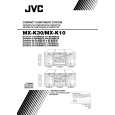 $4.99 MX-K30 JVC
Owner's Manual Complete owner's manual in digital format. The manual will be available for download as PDF file aft…  $4.99 MX-K30 JVC
Parts Catalog Parts Catalog only. It's available in PDF format. Useful, if Your equipment is broken and You need t…
|
|
|
> |
|