|
|
|
Categories
|
|
Information
|
|
Featured Product
|
|
|
 |
|
|
There are currently no product reviews.
 ;
Hello.
This paper enable me, to bring this lovley Scope into Function.
Without this Page, i have no cance to make this finish.
Hans M. Knoll Germany
 ;
I used for first time this the wheat and am very thanked
;
This manual was exactly what i needed and could not find elsewhere. Price is not too high. Great !
;
ecelent I was reciver the service manual soon I fell so happy very complete 100% positive all by this store tanks atte Luis salazar
;
A great copy of the manual, and the only one I could find anywhere on the net! The circuit diagrams are easily readable, all component values marked and easy to see. A highly appreciated download!
MX-K5 Removing the heat sink & amp. board (See Fig.14 and 15)
Prior to performing the following procedure, remove the metal cover and the CD changer unit. 1. Remove the four screws I attaching the heat sink cover on the back of the body. Remove the heat sink cover. 2. Remove the four screws J attaching the heat sink & amp.board to the rear panel on the back of the body.
I
Heat sink cover
I
3. Remove the two screws K attaching the speaker terminal to the rear panel on the back of the body. 4. Disconnect the card wire from connector ACW1 & the harness from connector ACW2 on the amp. board. (See Fig.11) 5. After moving the heat sink upward, remove the claws. Then pull out the heat sink & amp.board inward.
Rear panel
Fig.14
Tuner terminal
J L
Removing the tuner board (See Fig.15 and 16)
Prior to performing the following procedure, remove the metal cover and CD changer unit. 1. Disconnect the card wire from connector CON01 on the tuner board. 2. Remove the two screws L attaching the tuner board.
Speaker terminal Heat sink
K J
Removing the rear cover
(See Fig.17)
Fig.15
Prior to performing the following procedure, remove the metal cover, CD changer unit, heat sink & amp.board and tuner pack.
Main board
1. Remove the four screws M attaching the rear panel. 2. Remove the screw M' attaching the voltage selector. (Only US/ UT/ UW)
CON01
Rear panel
M
Tuner board
Fig.16
M
M
Fig.17 1-9
 $4.99 MX-K5 JVC
Circuit Diagrams Set of circuit diagrams. The diagrams will be provided as PDF file. The file will be delivered after… 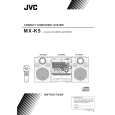 $4.99 MXK5 JVC
Owner's Manual Complete owner's manual in digital format. The manual will be available for download as PDF file aft…  $4.99 MX-K5 JVC
Parts Catalog Parts Catalog only. It's available in PDF format. Useful, if Your equipment is broken and You need t…
|
|
|
> |
|