|
There are currently no product reviews.
 ;
I really like this manual and it's reliable.I found and bought easly.thank you.
;
Thank you very much. the Instruction corresponds to my expectations. Sent it in time. I don't regret that paid money.
;
Good quality. Quick service. I recommend to everyone.
;
Very good quality scan of the document. I am very pleased with what I got.
;
PDF Contains
Technical Data, Mechanical data, Detailed Circuit diagram with components value, PCB layout. Actual PCBs Print. Component List, Spare parts code list and Input output detail. It cover LBB1211, LBB1212, LBB1213, LBB1216, LBB1217.
It is the actual Service Manual for SQ10
To fast forward or reverse the track
ENGLISH
Press and hold
SSM
¢ , while playing a CD, to fast forward the track. 4, while playing a CD, to reverse the track.
Press and hold
To go to the next track or the previous track
Press ¢ briefly, while playing a CD, to go ahead to the beginning of the next track. Each time you press the button consecutively, the beginning of the next tracks is located and played back.
SSM
Press 4 briefly, while playing a CD, to go back to the beginning of the current track. Each time you press the button consecutively, the beginning of the previous tracks is located and played back.
To go to a particular disc directly
7 8 9 10 11 12
Press the number button corresponding to the disc number to start its playback (while the CD changer is playing). � To select a disc number from 1 � 6: Press 1 (7) � 6 (12) briefly. � To select a disc number from 7 � 12: Press and hold 1 (7) � 6 (12) for more than 1 second.
Ex. When disc number 1 is selected
Disc number
Track number
28
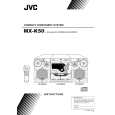 $4.99 MX-K60 JVC
Owner's Manual Complete owner's manual in digital format. The manual will be available for download as PDF file aft…
|