|
|
|
Categories
|
|
Information
|
|
Featured Product
|
|
|
 |
|
|
There are currently no product reviews.
 ;
The manual was exact the thing that was promised. My old car stereo is working again thanks to the information supplied.
;
I PURHASED THIS PRODUCT BECAUSE I WAS HAVING PROBLEMS WITH MY CDR20 HARMAN KARDON RECORDER. WHICH I PURCHASED NEW 12 YEARS AGO. AFTER REVIEWING THE MANUAL, I WAS ABLE TO ADJUST THE TENSIONER IN THE SYSTEM. WORKS LIKE A CHAMP!.
SAVED ME AT LEAST 100.00 WHICH WAS WHAT A SERVICE REPAIR STATION WANTED. GREAT MANUAL EASY TO READ. SPECIALLY AFTER I PRINTED THE PAGES WHICH DEALT WITH MY RECORDER. THANKS A LOT!!!!!!!!
 ;
You can fully trust on this one!
All the schematics are very crear an in one piece per page
;
I have never bought a service manual which is as competely readable as this althogh it was a scanned pdf. Thank you for this succesful manual also cheaper than other sites.
;
Thanks for a very good and readable servicemanual. Just what I needed as a "dinosaur technician". I really recommmend this site and will come back.
Åsbjörn
MX-KA7
Removing the cassette deck heads (See Fig. 19 and 27)
Prior to performing the following procedures, remove the top cover and both sides board. Also remove the CD changer unit. Also remove the front panel assembly. 1. Remove six screws Z that retain the cassette deck mechanism. (Fig.19) 2. Remove the cassette deck mechanism and place it so that the front side faces up. 3. Remove the solder from the bottom side of the head terminal and disconnect the wire. 4. Remove screw U that retains the head. 5. Remove screw V that retains the head. 6. Hold the head and slide it in the direction of the arrow to remove it.
PB Head
Cassette deck mechanism (Front side)
V
U
V
U
REC/PB Head
Fig.27
Removing the 3-pin regulator and bridge diode (See Q904, Q907, D901, D914 and Fig.28)
Prior to performing the following procedures, remove the top cover and both sides board. 1. Remove two screws A that connect the heat sink. 2. Remove two screws W that connect the heat sink. 3. Remove the solder fixing the the 3-pin terminal regulator Q904, Q907. 4. Remove the solder fixing the 4-pin bridge diode (D901, D914).
W
A
Fig.28
1-16
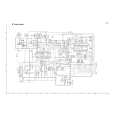 $4.99 MX-KA7 JVC
Circuit Diagrams Set of circuit diagrams. The diagrams will be provided as PDF file. The file will be delivered after… 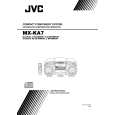 $4.99 MX-KA7 JVC
Owner's Manual Complete owner's manual in digital format. The manual will be available for download as PDF file aft…  $4.99 MX-KA7 JVC
Parts Catalog Parts Catalog only. It's available in PDF format. Useful, if Your equipment is broken and You need t…
|
|
|
> |
|