|
|
|
Categories
|
|
Information
|
|
Featured Product
|
|
|
 |
|
|
There are currently no product reviews.
 ;
I received the Manual in a timely manner and it was exactly what I needed.
This is a perfect copy of the Service Manual, The quality is great. I am very
happy. Thank you
;
exactly as they say. Within 24 hours the link to the pages and offcourse it was the right service manual. Super and thanks
 ;
The manual was exact the thing that was promised. My old car stereo is working again thanks to the information supplied.
;
I PURHASED THIS PRODUCT BECAUSE I WAS HAVING PROBLEMS WITH MY CDR20 HARMAN KARDON RECORDER. WHICH I PURCHASED NEW 12 YEARS AGO. AFTER REVIEWING THE MANUAL, I WAS ABLE TO ADJUST THE TENSIONER IN THE SYSTEM. WORKS LIKE A CHAMP!.
SAVED ME AT LEAST 100.00 WHICH WAS WHAT A SERVICE REPAIR STATION WANTED. GREAT MANUAL EASY TO READ. SPECIALLY AFTER I PRINTED THE PAGES WHICH DEALT WITH MY RECORDER. THANKS A LOT!!!!!!!!
;
You can fully trust on this one!
All the schematics are very crear an in one piece per page
� Adjustment method of VC PWM Duty (L) (mode number: 762) 1. Select the manual mode of the test mode, and set the mode number 762. (See page 11)
R517 L
C526
digital voltmeter TP914 (VR) TP5105 (GND)
C610
LCD display
VclPWM
762
MAIN BOARD (SIDE B)
2. Connect a digital voltmeter to the TP915 (VC) on the MAIN board, and adjust [EASY SEARCH +] key (voltage up) or [EASY SEARCH --] key (voltage down) so that the voltage becomes 2.5 ± 0.02 V. Proceed to the next step without pressing X key if voltage is
C504 C503
TP915 (VC)
already adjusted.
digital voltmeter
R609 C611 R608
TP914 (VR)
C501 R505 R507 C502
5
R937 R924 R936 R923 R937 R936 R923 R924
TP5105
MAIN BOARD (SIDE B)
TP915 (VC)
629
R520
C516 C511 C508 C 09
C504 C504 C503
TP915 (VC)
C517
TP5105 (GND)
(GND)
C610
R535 R535
3. Press the X key to write the adjusted value.
Q
� Adjustment method of VREM PWM Duty (L) (mode number: 764) 1. Select the manual mode of the test mode, and set the mode number 764. (See page 11)
C514 R518 L L
R537 R537 R536
C514
C501 R505 C517 C516 C511 R520 C508 R507 C502
VrlVcl
764
TP5105 (GND)
2. Connect a digital voltmeter to the TP914 (VR) on the MAIN board, and adjust [EASY SEARCH +] key (voltage up) or
C514 R518
[EASY SEARCH --] key (voltage down) so that the voltage
3. Press the X key to write the adjusted value. � Adjustment method of VREM PWM Duty (H) (mode number: 763) 1. Select the manual mode of the test mode, and set the mode number 763. (See page 11)
LCD display
becomes 2.5 ± 0.02 V. Proceed to the next step without pressing X key if voltage is already adjusted.
digital voltmeter TP914 (VR) TP5105 (GND)
C610
VrhVcl
763
MAIN BOARD (SIDE B)
2. Connect a digital voltmeter to the TP914 (VR) on the MAIN board, and adjust [EASY SEARCH +] key (voltage up) or [EASY SEARCH --] key (voltage down) so that the voltage becomes 2.75 ± 0.02 V. Proceed to the next step without pressing X key if voltage is already adjusted.
TP915 (VC)
TP914 (VR)
C501 R505 C517 629 R520 C516 C511 C508 C 09
R536 R518 C526
R517 R517
LCD display
C526
R507 C502
3. Press the X key to write the adjusted value.
� 18 �
C503
TP5105 (GND)
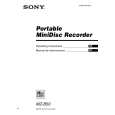 $4.99 MZB50 SONY
Owner's Manual Complete owner's manual in digital format. The manual will be available for download as PDF file aft…
|
|
|
> |
|