|
|
|
Categories
|
|
Information
|
|
Featured Product
|
|
|
 |
|
|
There are currently no product reviews.
 ;
Very very good as usual very trustable site. Perfect!!!!!!
;
The Service Manual received was helpful. Good copy of original document.. I recomend all of my friends about this technical page.
;
Perfect, complete manual, exactly what I needed. Recommended to everyone.
;
Very usefull manual. From my point of view there are needs more clearables images.
;
Once again owner-manual.com has saved the day for me, and come through with the manual I need. I looked other places too, and couldn't find it anywhere. Thank You owner-manual.com!!! You're the BEST!
MZ-N710
Power Supply Adjustment Auto Item Feed
Note: This mode is available to perform the temperature correction and power supply adjustment without entering the manual mode.
� Setting method of power supply adjustment auto item feed mode. 1. Set the test mode (see page 13) 2. Press the . key or press the [VOL --] key to activate the T overall adjustment mode.
Remote commander LCD display
5. Connect digital voltmeter to the measuring points on the MAIN board, and adjust the voltage with the [VOL +] or [VOL --] key. (see page 18 to 21) Press the X key to write the adjusted value, and the item number increases automatically. 6. When not writing the adjusted value, press the > key to t move to the next item. The . key is available to back to the T last item. 7. The following message is displayed after all power supply adjustments finish.
Remote commander LCD display
000 A s s y
**: Adjusted value
**
000 A D J
OK
3. Press the [END SEARCH] key or [P MODE] key on the remote commander to set the temperature correction mode.
Remote commander LCD display
8. Press the xCANCEL/CHG key to return the test mode (display check mode).
015 S e t T m p * *
4. To change the initial value (hexadecimal) adjust with the [VOL +] or [VOL --] key. Press the X key to write the adjusted value, and the item number increases automatically. When not writing the adjusted value, press the > key to t move to the next item.
Remote commander LCD display
741 V C 1 L * *
� Configuration of power supply adjustment auto item feed
000Assy ** END SEARCH key or P MODE key on the remote commander. 015 SetTmp 19
> . .
749 REG3 H **
key
>
key
key
.
751 VREC L **
key
>
key
741 VC1 L **
> .
key
key
.
752 VREC M **
key
>
key
742 VC1 H **
> .
key
key
.
753 VREC H **
key
>
key
743 VC2 Lo **
> .
key
key
.
755 ChgV L **
key
>
key
744 VC2 Hi **
> .
key
key
.
756 ChgV H **
key
>
key
745 REG1 **
> .
key
key
.
757 CIL **
key
>
key
747 REG3L1 **
> .
key
key
758 CIH **
>
key
748 REG3L2 **
>
key
key
000 ADJ OK
23
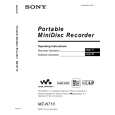 $4.99 MZN710 SONY
Owner's Manual Complete owner's manual in digital format. The manual will be available for download as PDF file aft…
|
|
|
> |
|