Shopping cart is empty
 
English Polski Spanish 
Search For a Manual
 

(e.g. AA-V20EG JVC, ZX-7 Sony )
PayPal 1000+ rating Secure, Encrypted Checkout.
 
Categories
Information
Featured Product
Home >> SONY >> MZNF810CK Service Manual
 
 0 item(s) in your cart 

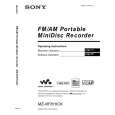
SONY MZNF810CK
Service Manual


Tweet about this product and get $1.00 of store credit for instant use!
  • Contains Circuit Diagrams
  • Download
  • PDF Format
  • Complete manual
  • Language: English
Price: $4.99

Description of SONY MZNF810CK Service Manual

Complete service manual in digital format (PDF File). Service manuals usually contains circuit diagrams, printed circuit boards, repair tips, wiring diagrams, block diagrams and parts list. Service Manual ( sometimes called Repair Manual ) is used mainly by technicians.

If You just want to know how to use Your tv, video, mp3 player etc. You should look for Owner's Manual. After placing order we'll send You download instructions on Your email address.

The manual is available in languages: English

Not yet ready
You must purchase it first

Customer Reviews
There are currently no product reviews.
Other Reviews
 A-103 TEAC Service Manual by Mike Dunn;
For five bucks you can barely buy a hamburger. Or for the same five bucks you can buy a service manual. Much more useful. (and better for your health, depending on where you buy your hamburgers). Yes, there are free manual sites out there, but if they don't have what you want, you have to pay. And five bucks isn't much. Not for full specs, schematics and adjustment and parts replacement procedures. My only criticism is that grayscale illustrations aren't well rendered, but I've seen worse. Schematics and text are clear. I'll be happy to purchase from here again. Mike [email protected]
 CJV55 PIONEER Service Manual by Joseph Dulick Jr;
Impressively thorough. Even the simple operators manual helped me "fix" one of the 2 CD players in the unit. This unit reads CD's from the top so they should be installed in the magazines "upside down" from typical CD players. The CD player service manual helped me unjam a stuck carriage because somebody transported the box laying down loaded with CD's. A little lens cleaning & the player now works well! Thanks for you help at a great price! Joe
 PMD-221 MARANTZ Service Manual by Benjamin AM;
I was skeptical at first but later found the manual to be good quality for the price. It took a couple hours to receive the email with the download link, well worth the wait. Thanks.
 VGCRA SONY Service Manual by Mark Shapiro;
very helpful, I could not have cleaned motherboard and replaced the main fan without it
 HA6800 HITACHI Service Manual by Josh Dodd;
Good manual, schematics nice and clear with good quality scanning. Woul dhave been nice to have immediate access after purchasing though.

Text excerpt from page 23 (click to view)
MZ-NF810/NF810CK

Power Supply Adjustment Auto Item Feed
Note: This mode is available to perform the temperature correction and power supply adjustment without entering the manual mode.

� Setting method of power supply adjustment auto item feed mode. 1. Set the test mode (see page 13) 2. Press the . key or press the [VOL --] key to activate the T overall adjustment mode.
Remote commander LCD display

5. Connect digital voltmeter to the measuring points on the MAIN board, and adjust the voltage with the [VOL +] or [VOL --] key. (see page 18 to 21) Press the X key to write the adjusted value, and the item number increases automatically. 6. When not writing the adjusted value, press the > key to t move to the next item. The . key is available to back to the T last item. 7. The following message is displayed after all power supply adjustments finish.
Remote commander LCD display

000 A s s y
**: Adjusted value

**

000 A D J

OK

3. Press the [END SEARCH] key or [P MODE] key on the remote commander to set the temperature correction mode.
Remote commander LCD display

8. Press the xCANCEL/CHG key to return the test mode (display check mode).

015 S e t T m p * *
4. To change the initial value (hexadecimal) adjust with the [VOL +] or [VOL --] key. Press the X key to write the adjusted value, and the item number increases automatically. When not writing the adjusted value, press the > key to t move to the next item.
Remote commander LCD display

741 V C 1 L * *
� Configuration of power supply adjustment auto item feed

000Assy ** END SEARCH key or P MODE key on the remote commander. 015 SetTmp 19
> . .

749 REG3 H **
key
>

key

key
.

751 VREC L **
key
>

key

741 VC1 L **
> .

key

key
.

752 VREC M **
key
>

key

742 VC1 H **
> .

key

key
.

753 VREC H **
key
>

key

743 VC2 Lo **
> .

key

key
.

755 ChgV L **
key
>

key

744 VC2 Hi **
> .

key

key
.

756 ChgV H **
key
>

key

745 REG1 **
> .

key

key
.

757 CIL **
key
>

key

747 REG3L1 **
> .

key

key

758 CIH **
>

key

748 REG3L2 **
>

key

key

000 ADJ OK

23

You might also want to buy

$4.99

MZNF810CK SONY
Owner's Manual

Complete owner's manual in digital format. The manual will be available for download as PDF file aft…
>
Parse Time: 0.747 - Number of Queries: 102 - Query Time: 0.414