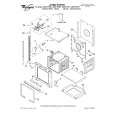
|
There are currently no product reviews.
 ;
muy buen manual completo de buena calidad de impresion preciso y detallado , muy útil para la reparación.
;
The service manual is a good quality scan of the Panasonic NV-850, which is electrically identical to the Philips VR 6920, but mecanically just nearly.
;
The service manual is a good quality scan of the Blaupunkt RTV-404, which is electrically and mecanically identical to the Panasonic NV-830.
;
completo manual bien detallado y de buena calidad de impresion , se echa en falta los esquemas de placa y parte de algun diagrama.
 ;
perfecto manual ,completo y detallado de muy buena calidad de impresion, ideal en una palabra.
NC-500 ADJUSTMENT & CONFIRMATIONS OF OPERATIONS
ADJUSTMENT OF FREQUENCY a) Turn C702 CCW to set minimum position before POWER ON. b) Set the frequency at P702 to 32768Hz by adjusting C702 under the condition of no input and no load, immediately after POWER ON. c) After 4 ~ 6 minutes of heat running, re-adjust by following b.
OPERATIONS OF SPEAKER RELAYS The relay shall be ON about 5 seconds after POWER is ON and shall be OFF immediately after POWER is OFF. INITIAL SETTING FOR SHIPPING 1. Initialization of memories Press STANDBY/ON button while pressing down INPUT button when the unit is POWER ON, then the FLT displays "CLEAR", and turn to STAND-BY. Remove power cord from power line. 2. Other settings Pull out the AC cord at the standby mode.
 $4.99 NC500 ONKYO
Owner's Manual Complete owner's manual in digital format. The manual will be available for download as PDF file aft…
|