|
|
|
Categories
|
|
Information
|
|
Featured Product
|
|
|
 |
|
|
There are currently no product reviews.
 ;
Easy to order the manual. Good quality and fast delivery.
;
The Service Manual for Sansui AU-9500 was very helpfull, in complete and in good printable condition.
Thanks.
;
Dear Sir,
Document is original service document of sharp. I had a problem with the door contacts. Fuses where blown. With the manual in a few minuts is was clear what the problem was.
Manual was of great help.
With kind regards,
Martie Verhoeven
The Netherlands.
 ;
The scan is clear and well readable with very few weaker spots, usually on black background with white letters, but with enough zoom those spots can be read.
Printout is clear, the manual is complete and has all pages scanned.
I would give 5 stars, except that it is not in color, and the schematic and PCB pages are scanned on multiple pages. The document is locked (except printing) so the pages can not be extracted to compose them together for printing on the large plotter
It is worth the price tag.
;
let's say first that i do not need to have a credit for my opinion, i am a retired sparkie and i voluteerd to fix an electronic device for a local "Youthgroup",as no diagram was present i checked the "net" and gambled on this site and paying some fee via PayPall, i was gladly surprised that the manual arrived as was stated, GOOD SHOW, and best wishes, John
1. WARTUNG UND INSTANDHALTUNG
IV. Grundlegende Bildjustage
� Kein AE, Kopierhelligkeit 5
Einleitende Prüfungen
Justage von Kontrastunterschieden
Kontrastjustage für den durchgehend schwarzen Bereich
Die Koronadrähte reinigen.
Besteht ein Kontrastunterschied zwischen vorderem und hinterem Teil der Kopie? Ja Ist der hintere Teil dunkler?
Nein
Das Kopierpapier und das Transfersystem überprüfen.
Ist der Kontrast von Grauskala Nr. 10 optimal?
Ja
Die AE-Justage durchführen (siehe Seite 2 - 3).
Die Höhe der Koronadrähte überprüfen.
Ist der Nein Kontrast von Grauskala Nr. 1 zu gering (zu hell)? Ja Die folgenden Teile reinigen: StandardWei�platte, Spiegel, Objektiv, Staubschutzglas, Belichtungslampe, Reflektionsplatte und Hitzeschutzglas.
Nein
Nein Ist der Kontrast Grauskala Nr. 10 zu hoch (zu dunkel)? Service-Mode *3*. Ja Den Einstellwert von �LIGHT_5� verringern. Nein
Zwei oder drei Kopien der Testvorlage erstellen.
Ja Die Justageschraube an der Rückseite der PrimärkoronaEinheit im Uhrzeigersinn, und die Justageschraube an der Vorderseite entgegen dem Uhrzeigersinn jeweils um den gleichen Betrag drehen (max. jeweils 1,5 mm Höhenveränderung). Die Justageschraube an der Rückseite der PrimärkoronaEinheit entgegen dem Uhrzeigersinn, und die Justageschraube an der Vorderseite im Uhrzeigersinn jeweils um den gleichen Betrag drehen (max. jeweils 1,5 mm Höhenveränderung).
Den Einstellwert von �LIGHT_5� erhöhen.
Den Kopierer aus- und wieder einschalten und eine Kopie erstellen. Service-Mode *1*. Entspricht �VDM� �VDT ± 10 V�? Ja
Eine Kopie erstellen.
Den Hauptschalter aus- und einschalten und eine Kopie erstellen.
Nein Ja Ist �PLMT� �1�? Das Potentialkontrollsystem überprüfen. Ist es in Ordnung, die lichtempfindliche Trommel ersetzen.
Hinweis 1: Ist der Kontrastunterschied nach wie vor vorhanden (eine Umdrehung der Justageschraube entspricht 0,7 mm; max. jeweils 1,5 mm einstellen), sind die Korona-Einheiten, die Belichtungslampe und der Schlitten auf Verunreinigungen zu untersuchen. Hinweis 2: Beim Drehen der Justageschraube entgegen dem Uhrzeigersinn darf die Drahthöhe nicht unter 7,5 mm eingestellt werden. *5*
Nein Ja Entspricht �VL1M� �VLT ± 10 V�? Nein Ist �LLMT� �1�? Nein Ja Die Belichtungslampe und das Potentialkontrollsystem überprüfen. Sind sie in Ordnung, die lichtempfindliche Trommel ersetzen.
Den Einstellwert von �VDT-SW� erhöhen.
Den Kopierer aus- und wieder einschalten und eine Kopie erstellen.
COPYRIGHT © 1998 CANON INC. CANON NP6560/NP6360/NP6260 REV.0 M�RZ. 1998 PRINTED IN GERMANY
1-7
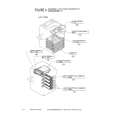 $4.99 NP6360 CANON
Parts Catalog Parts Catalog only. It's available in PDF format. Useful, if Your equipment is broken and You need t…
|
|
|
> |
|