|
|
|
Categories
|
|
Information
|
|
Featured Product
|
|
|
 |
|
|
There are currently no product reviews.
 ;
Really good and well scanned. File is complete the full service manual for 5$
 ;
Good product and very helpfull to repair. Many thanks.
;
Very good product. Best service manual. Many thanks
;
I am only search for 5 Minute, by it in 5 Minutes to and get ist in few ours! Best i found in the Internet and my Amplifer is repaired as well! Thank you
;
Readable text and good copy. Very much needed if you wish to do some repairs on this fine old unit.
In such
a case,
check
also
if the POWER
AMPLIFIER
circuit
or power
supply
circuit
has any abnormalities
or not.
2-2.
Regarding
There power When
reset
that the machine does not work reset occurs, In such correctly (pressing because the STOP to wrong the MICROCOMPUTER key+ POWER key) is not reset is performed. is defective and check good and to or no even though the AC
are cases cord
is re-inserted, described
or the software phenomenon
the above
it can lead perform
judgment
as if the MICROCOMPUTER by the following procedure
exchange good @)
the MICROCOMPUTER.
a case,
the forced-reset
of the MICROCOMPUTER. Remove the AC power cord.
Fig-2-2
@ @
Short Connect
both
ends
of the electrolytic cord again.
capacitor
Cl 13 that
is connected
to VDD returns
of the MICROCOMPUTER operation,
with
tweezers.
the AC power
If the MICROCOMPUTER
to the normal
the MICROCOMPUTER
is good.
Note:
The
reference
number
or MICROCOMPUTER Be sure to check
pin number the reference
of transistor numbers
(Ql
10) and electrolytic diagram before
capacitor starting
(Cl 13) can change the discharging work.
depending
on the models.
on schematic
2-3.
Confirmation Check
of soldering state after
state
of
MICROCOMPUTER
in addition the trouble to the above described procedures. Be sure to exchange the
the soldering
of the MICROCOMPUTER surely confirming that
MICROCOMPUTER itself.
is not caused
by poor
soldering
but the MICROCOMPUTER
5
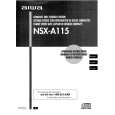 $4.99 NSXA115 AIWA
Owner's Manual Complete owner's manual in digital format. The manual will be available for download as PDF file aft…
|
|
|
> |
|