|
|
|
Categories
|
|
Information
|
|
Featured Product
|
|
|
 |
|
|
There are currently no product reviews.
 ;
Manual was destroyed and this purchase made it possible to recover my manual . It was easy to down load and smooth to use thanks .
 ;
Turns out this was not the manual i was looking for. The concertmate 670 keyboard i have is a "Realistic" model made for Radio Shack and none of the diagrams on the owners manual i received matches up. HOWEVER, I must say the service Owners Manual provides was fast and efficient by being available online. The manual was in good readable condition and easily downloaded.
;
Great price, Quick delivery, the document was very usefull A+++++++++++++++
;
Thank´s for your help, I already recived these manual from you
;
Thank you for your manual It has the basic things to and i use the Oszi for Longer Time.
THX
,�
MANUAL TUNING
PRESETTING
STATIONS
0-9,+1 o BAND SHIFT
*i-------
=U
button repeatedly to
The unit can store a total of 32 preset stations. maximum AM is pressed while the power of 20 available preset (Each band has a a station is Use the preset stations. ) When stored, a preset number is assigned to the station. number to tune in to a preset station directly.,
� ��
1 Press the TUNER/BAND select the desired band.
rl
1
FM �
When the TUNER/BAND is off, the power is turned
button
on directly.
To select a band with the remote control
Press the BAND button while pressing the SHIFT button.
7 Press the TUNEFVBAND button to select a band, and press the ++ DOWN or FUP button to select a station. 2 Press the II SET button to store the station.
A station consecutive is assigned a preset number, beginning from 1 in order for each band. Frequency
2 Press the+ a station.
DOWN or FD
is pressed,
UP button to setect
changes.
Each time the button
the frequency
When a station is received, �TUNE� is displayed for 2 seconds. During FM stereo reception; [il~ll) is displayed.
Preset
number
To search for a station quickly (Auto Search)
Keep the + starts searching DOWN or > UP button pressed After tuning until the tuner the for a station. in to a station,
3
Repeat
steps 1 and
2.
for one band
The next statiorrwill for all the bands have already
not be stored if a total of 32 preset stations
search stops. To stop the Auto Search UP button.
q
or a total of 20 preset stations
manually, not stop
press the * at stations
DOWN or FF with very weak
been stored.
The Auto signals,
Search
may
PRESET NUMBER TUNING
Use the remote control to select the preset number directly.
When
an FM stereo
broadcast
contains
noise
Press the MONO TUNER button while pressing the SHIFT button on the remote control so that �MONO� appears on the display. Noise is reduced, although To restore stereo reception, disappears. reception is monaural. press these buttons so that MONO
7 Press the BAND button while pressing the SHIFT button to select a band. 2 Press the numbered number.
Example: To select preset number 20, press the +10, +10 and O buttons. To select preset number 15, press the +1 O and 5 buttons.
buttons to select a preset .
Selecting To change the
a preset�number
on the main unit
to select a band. Then, press is
AM tuning interval
Press the TUNER/BAND
button
The default setting of the AM tuning interval is 10 kHz/step. If you use this unit in an area where the frequency allocation system is 9 kHz/step, change the tuning interval. Press the POWER button while pressing button. To reset the interval, repeat this procedure. the TUNEWBAND
the ~ PRESET button repeatedly. Each time the button is pressed, the next ascending selected.
number
To clear a preset station
Select the preset number of the station to be cleared. the s CLEAR seconds. button, and press the II Then, press within 4 SET button
m
When the AM tuning cleared. The preset interval stations is changed, all preset stations are have to be set again.
The preset numbers
numbers
of all other stations by one.
in the band with higher
are also decreased
9
ENGLISH
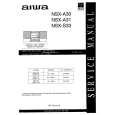 $4.99 NSXA31 AIWA
Service Manual Complete service manual in digital format (PDF File). Service manuals usually contains circuit diagr…
|
|
|
> |
|