|
|
|
Categories
|
|
Information
|
|
Featured Product
|
|
|
 |
|
|
There are currently no product reviews.
 ;
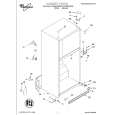
I found the manual to be clear concise and complete. It was of immense assistance when removing the unit as the unit was over 22 years old and the wiring diagram was unobtainable from the manufacturer. The exploded drawings were clear as were the instructions and labels.
;
I will highly recommend this seller. They are honest, accurate, fast and responsible.
;
This manual was very good & was very helpful with repairs.
Always great & fast service from Owner's manual.
;
Very pleased with the quality of the scan. No complaints whatsoever.
 ;
I liked the product. I would use their sevices again.
NOTE 1. Forced
When across
ON
BEFORE
STARTING
ofelectrol~ic
REPAIR
capacitor ofpower
uses though relay circuit
discharge
repair is going
supply
block
supply block, Ifrepair electric isattempted potential is kept charged the
to be attempted capacitors
in the set that 102) even
in the power cord
theelectrolytic defect to prevent
(CIOl,
ACpower
is removed.
inthiscondition,
secondary In order
can occur. the secondary trouble, perform the following measures before starting repair work.
Discharae
�o
DrOC@dUre
the AC power a discharging at bothends. chassis. end (+VH) of the discharging of Cl 01. (For resistor two to the cord. resistor Connect at an end of lead theother endofthe wire that lead
I
II
o @
Remove Connect hasclips wire
II
MAIN C.B
to metal
(3 @
Contact positive Contact
the other (+) side the same
seconds) as step
end of the discharging (-) side (-VH) of C102
resistor
@) to the negative way. (For that two
in the same
seconds) across C101 and C102 has decreased & L 6
@
Check
voltage using-a
1 V or less
multimeter
or an oscilloscope.
Select
Charging
a discharging
voltage
resistor
(V)
referring
Discharging
to the following
table.
Fig-1
Rated (Clol,
25-48 49-140
power
(W)
Parts
number
102)
resistor 100 220
(Q) 3 5 87-AOO-247-090 87-AOO-232-090
Note:
The
reference
numbers
(C101,
C102)
of the electrolytic on schematic
capacitors diagram
can change before
depending
on the models. work.
Be sure
to check
the
reference
numbers
of the charging
capacitors
starting
the discharging
2. Check
Be sure confirming
items
to check that
before
exchanging
items before
the MICROCOMPUTER
exchanging is surely the MICROCOMPUTER. Exchange the MICROCOMPUTER after
the following
the MICROCOMPUTER
defective.
2-1.
Regarding
When correctly. the HOLD When
the
HOLD
terminal
terminal
(INPUT) is �L�,
of the
MICROCOMPUTER
is �H�, be turned the MICROCOMPUTER on. Therefore, be sure is judged to check to be operating voltage of
the HOLD When terminal
of the MICROCOMPUTER the main power cannot
this terminal before
the terminal
exchange. is not defective, the abnormality the HOLD circuit terminal can also go �L� when the POWER AMPLIFIER to �L�. has any
the MICROCOMPUTER that triggers
abnormalities
detection
on the MAIN
C. B. that
sets the HOLD
terminal
*
Good
or no good
judgement
power. power
of the
MICROCOMPUTER
Turn
on the AC main that the main
Confirm not, When
is turned
on and the HOLD
terminal
of the MICROCOMPUTER
keeps
the �H
level
or
the HOLD
terminal
is �L� level,
the abnormality
detection
circuit
is judged
to be working
correctly
and the
MICROCOMPUTER
is judged
to be good.
d �.� .� -�. �.� -�
�.�
.�.
FRONT C.B
;
I
MAIN C.B ,
In
1:
I
PIN1OI
I
CON601
some
models,
it is PIN
@.
MICROCOMPUTER
&� @ POWER AMP
POWER
AMP
POWER r PIN �.� number is different upon microprocessor. -�. �-�. �.� .�. �.� depending
SUPPLY
..
Fig-2-1
-4-
|
|
|
> |
|