|
|
|
Categories
|
|
Information
|
|
Featured Product
|
|
|
 |
|
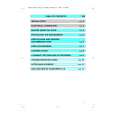
- Preparations
- Controls and Functions
- S - VHS Format
- Compatibility of VTRs and Tapes
- Using the Battery Pack
- Using the AC Adaptor or the Car Battery Cord (Optional)
- Setting the Clock
- Recording the Date and Time during Shooting
- Adjusting the Eyepiece Corrector
- Viewfinder
- Cleaning
- Adjusting the Grip Belt
- Attaching the Shoulder Strap
- Inserting the Video Cassette
- Using the Tape Counter Indication
- Using the On - Screen Display Function
- Index Signals (VISS)
- The Sound That is Being Recorded
- Holding the Movie Camera for Shooting
- Shooting
- Checking the Recorded Scene
- Searching for a Previously Shot Scene (Camera Search)
- Shooting with Clean Edits
- Shooting a Still Picture
- Shooting with Strobe Effect
- Shooting with the Zoom Function
- Shooting with the Fade Function
- Shooting with the After - Image Effect (Tracer Function)
- Shooting Sunsets or Other Evening Scenes
- Shooting Backlit Scenes (Iris Adjustment)
- Shooting in the Dark (High Sensitivity Function)
- Shooting with the Macro Function
- Shooting Fast - Moving Subjects
- Self - Timer Recording and Interval Recording
- Automatic White Balance Adjustment
- Manual White Balance Adjustment
- Automatic Focus Function
- Manual Focus Function
- Inserting a Still Picture with Wipe Editing (Digital Wipe)
- Fading Over or Superimposing a Still Picture onto the Moving Picture (Digital Image Mix)
- Shooting a Portrait
- Playback
- Playback
- Playback via a TV Set (Connections)
- Copying (Dubbing)
- Insert Editing
- Audio Dubbing
- Notes, Others
- VITC Signals
- Cautions
- Possible Use of the Functions Buttons in the Different Operation Modes
- Indications in the Viewfinder
- Before Requesting Service
- Specifications
- Optional Accessories
- Warning/Alarm Indications in the Viewfinder
There are currently no product reviews.
 ;
Hello from Germany - thank you very much for the manual for my Sharp "Searcher" - the handling of your internet area is outstanding..Mike
;
I am very happy with the owner's manual. I bought a used Casio and was so relieved that I was able to get a hold of a owner's manual. It was very easy to download the manual and I had no problems with printing it. Thank you! Nancy Whalen
;
The purchased manual is an high-quality scan of the original JVC paper-based Owner´s Manual. I am very satisfied!
;
Very satisfied with received document, all is right, Thank You very much, it was a Pleasure to work with You.
 ;
great site, the most easy and fastest way to find the manual you need, no 5 star because the manual was only available in german, but I speak german as well so no problem for me.
|
|
|
> |
|