|
|
|
Categories
|
|
Information
|
|
Featured Product
|
|
|
 |
|
|
There are currently no product reviews.
 ;
The manual is useful for trouble shooting for an old instrument. It saved money,and let me enjoy DIY.
 ;
Perfect source of information for replacing the HDD and performing general diagnostics.
;
Perfect source of information for replacing the HDD and performing general diagnostics.
;
Very good scanned copies. Quick response and reasonable price. Thanks for service!
;
Good. Good. Good. Good. Good. Good. Good. Good. Good. Good. Good. Good. Good. Good.
UX-A450DE/IT/H NX-A550DE/IT/FO-A650IT
[2] Operation panel
1
TEL FAX
2
REC/ MEMO
3
PLAY
4
ABC
5
DEF
6
3
MNO
UP
1
GHI JKL
2 5
TUV
TEL/FAX A.M.
4
Z RESOLUTION/ REDIAL RECEPTION MODE A
PQRS
6
WXYZ
7
D OWN
8 0
9
STOP
COPY/HELP START/MEMORY
FUNCTION
R
POLL
REPEAT
SKIP
DELETE
7
8 9 10 11 12
13 14 15 16 17
Illustration: UX-A450H
11. FUNCTION key (Taste FUNKTION)
Press this key to followed by the arrow keys select special functions and settings.
1. Display (LCD-Anzeige)
This displays messages and prompts to help you operate the machine.
2. REC/MEMO key (Taste AUFN.)
Press this key to record an outgoing message, phone conversation, or memo.
12. R key (Taste R)
If you are on a Flash-type PBX, use this key to dial out (first press the R key and then dial the number).
3. PLAY key (Taste WIEDERG.)
Press this key to play recorded messages.
13. UP and DOWN arrow keys (Pfeiltasten + und -)
Enlarge/Reduce setting: When marking a copy of a document, press these keys to select an enlarge/reduce setting. Volume setting: When a document is not in the feeder, press these keys to change the speaker volume when the key has been pressed, or the ringer volume at any other time. FUNCTION key settings: Press these keys after pressing the FUNCTION key to scroll through the FUNCTION MODE settings.
4. Left and right arrow keys (Pfeiltasten nach links und nach rechts)
Auto-dial numbers: When sending a fax or making a phone call, press these keys to scroll through your auto-dial numbers, the "REVIEW CALLS" list (only available if you have Caller ID), and the last number dialed (redial). FUNCTION key settings: Press the right arrow key after scrolling with the up and down arrow keys to select a FUNCTION key setting.
5. Number keys (Zahlentasten)
Use these keys to dial numbers, and enter numbers and letters when storing auto-dial numbers.
14.
key (
Taste)
Press this key to listen to the line and fax tones through the speaker when faxing a document.
6. Panel release (BEDIENFELD ENTRIEGELN)
Press this release to open the operation panel.
15. REPEAT key (Taste ZUR�CK)
Press this key while listening to a message to play it again.
7. STOP key (Taste STOP)
Press this key to cancel operations before they are completed.
16. SKIP key (Taste VOR)
Press this key while listening to a message to skip to the next message.
8. COPY/HELP key (Taste KOPIE/HILFE/ABRUF)
When a document is in the feeder, press this key to make a copy of a document. When a document is not in the feeder, press this key to print out the Help List, a quick reference gide to the operation of your fax machine. This key is also used after dialing to poll (request fax transmission from) another machine.
17. DELETE key (Taste L�SCHEN)
Press this key to erase recorded messages.
Monitoring phone conversations
When speaking through the handset, you can press to allow a third person to listen to the conversation through the speaker. (To turn off the speaker, press the key again.) To adjust the volume of the speaker when monitoring a conversation, press or (the volume setting reverts to the lowest setting each time the handset is replaced). Note that the speaker cannot be used for speaking; it is only for listening. To avoid feedback (a loud howling sound), be sure to turn off the speaker (press once again) before you replace the handset.
9. START/MEMORY key (Taste START/SPEICHER)
Press this key after dialing to begin fax transmission. Press this key before dialing to send a fax through memory.
10. RESOLUTION / RECEPTION MODE key (Taste AUFL�S./EMPFANG)
When a document is in the feeder, press this key to adjust the resolution for faxing or copying. At any other time, press this key to select the reception mode (an arrow in the display will point to the currently selected reception mode).
1�2
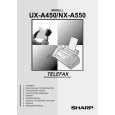 $4.99 NXA550 SHARP
Owner's Manual Complete owner's manual in digital format. The manual will be available for download as PDF file aft…
|
|
|
> |
|