|
|
|
Categories
|
|
Information
|
|
Featured Product
|
|
|
 |
|
|
There are currently no product reviews.
 ;
Was happy to find the complete owners manual... It's all in there, just like the original...
;
Thanks for offering this item at such a good price. Proved handy in identifying the part I was looking for my set.
;
Thr Video Recorder i have is quiet Old and the Producer could Not help me. So i w as very glad to find an offer for the owners Manual for a very fair Price.a I obtained the original Manual very quick and I am happy to have it now.
 ;
The PDF copy was immediately available on download after the payment. However, I noticed that the document was in German, and Ihad to contact a German translator to get it translated it to English. The quality of document is legible can be used for my purpose.
;
The manual was complete and of great quality. Originally a tri-lingual file, I first received only one language. After a note to owners-manuals.com, I quickly received the remaining languages... Great service, definitely worth it.
7
P-110 (En)
Using the stylus cover
Before operation, remove the stylus cover in the direction of the arrow After record play, always put on the stylus cover to protect stylus tip.
Replacing the stylus
÷ Use an N-69 replacement stylus. ÷ Remove this unit�s power cord from the AC outlet before replacing the stylus. ÷ One stylus is good for playing an LP record approximately 500 times.
Remove the existing stylus as shown.
Stylus
Install the new stylus as shown.
Operating instructions
1 Placing a record on the platter.
With an LP record With an EP (single) record
4 Playing the record.
(1) Pick up and move the tonearm to the position where you wish to begin listening.
Tonearm
(2) Tilt the cueing lever to the front.
LP
EP
SPEED
45 33
CUT
SPEED
45 33
CUT
EP adaptor
2 Select 33 or 45.
When playing 33 rpm record.
SPEED 45 33
÷ The turntable platter begins rotating when the tonearm is moved over the record.
÷ The tonearm is lowered on the record surface and playback starts.
When
playing
45
÷ It may happen that tonearm returns automatically to the arm rest before play start. If this occurs, repeat steps (1) and (2) again.
rpm record.
To pause record playback
Tilt the cueing lever to the rear.
To stop record playback
3 Tilt the cueing lever to the rear.
CUT
÷ The arm elevator rises.
÷ To resume playback, set the cueing lever to front side.
÷ The tonearm automatically returns to the arm rest when playback is finished.
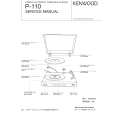 $4.99 P110 KENWOOD
Service Manual Complete service manual in digital format (PDF File). Service manuals usually contains circuit diagr…
|
|
|
> |
|