|
|
|
Categories
|
|
Information
|
|
Featured Product
|
|
|
 |
|
|
There are currently no product reviews.
 ;
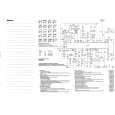
This document is just what I was looking for, it´s very useful, it contains adjustment procedures for the final stage of the power amp and also
has a complete wiring diagram and description of the main semiconductors used in the design.
;
Dear Sirs,
Thank you for the fast support, the manual does provide all necessary information to repair the radio. All schematics are in a good quality for reading.
The manual fits 100% to my requirements as a technican.
Kind regards Thomas
;
the big video recorder format s-vhs many features delicate in loading system of the cassette. Such machines are no longer manufactured, it would be too expensive.
 ;
THIS MANUAL IS VERY GOOD AND VERY CLEAR
PLEASE NOTE IT DOES NOT CONTAIN THE SETUP INFORMATION TO ALIGHN THE GEARS IN THE CD MECH IT DOES SHOW ALL THE PARTS AND THEIR LOCATIONS .
;
Complete service and operation manual. All schematics are there, all circuit boards AND add-on boards. Including exploded views ,component names and specifications. Also electrical and mechanical adjustment procedures are in this manual. This manual also covers the more advanced BR-S811E unit. Scan quality is fair and usable.
VAIO® Notebook User Guide
If your notebook does not start from the Recovery CD 1 2 3 4 5 6 7 Press the power button and hold it for more than four seconds to turn off the notebook. Turn on the notebook. When the Sony logo is displayed, press the F2 key. The BIOS setup menu screen appears. Press the arrow keys to select the Exit menu. Press the arrow keys to select �Get Default Values� then press the Enter key. The message �Load default configuration now?� appears. Check that �Yes� is selected, then press the Enter key. Press the arrow keys to select �Exit� (Save Changes) and then press the Enter key. The message �Save configuration changes and exit now?� appears. Check that �Yes� is selected, then press the Enter key. The notebook restarts from the Recovery CD.
�Your system may include one or two System Recovery CDs. If you have two System
Recovery CDs, insert the first CD to run the System Recovery program. You are prompted to insert the second CD once the information from the first CD has been installed. The recovery process takes from 30 to 60 minutes to complete. After recovering your system using the SRCD, you may be prompted to insert your ARCD after restarting Windows. Insert the ARCD to automatically complete recovery of your system.
Recovering Microsoft® Word 2002
If you recover your operating system using the System Recovery CD, Microsoft Word 2002 will not be recovered. Use the supplied Word 2002 CD-ROM to recover this application.
100
|
|
|
> |
|