D22C845 Quantity: 1
$4.99
» View Details
VTCD100 Quantity: 1
$4.99
» View Details
RS-4 Quantity: 1
$4.99
» View Details
SLCH510 Quantity: 1
$4.99
» View Details
26AF45C Quantity: 1
$4.99
» View Details
C32W511TN Quantity: 1
$4.99
» View Details
XMPX50WT Quantity: 1
$4.99
» View Details
1154681 Quantity: 1
$4.99
» View Details
Sub-Total: $39.92
 
English Polski Spanish 
Search For a Manual
 

(e.g. AA-V20EG JVC, ZX-7 Sony )
PayPal 1000+ rating Secure, Encrypted Checkout.
 
Categories
Information
Featured Product
Home >> SONY >> PCGSR7K Service Manual
 
 8 item(s) in your cart 

SONY PCGSR7K
Service Manual


Tweet about this product and get $1.00 of store credit for instant use!
  • Contains Circuit Diagrams
  • Download
  • PDF Format
  • Complete manual
  • Language: English
Price: $4.99

Description of SONY PCGSR7K Service Manual

Complete service manual in digital format (PDF File). Service manuals usually contains circuit diagrams, printed circuit boards, repair tips, wiring diagrams, block diagrams and parts list. Service Manual ( sometimes called Repair Manual ) is used mainly by technicians.

If You just want to know how to use Your tv, video, mp3 player etc. You should look for Owner's Manual. After placing order we'll send You download instructions on Your email address.

The manual is available in languages: English

Not yet ready
You must purchase it first

Customer Reviews
There are currently no product reviews.
Other Reviews
 LBTD505 SONY Service Manual by Jan Wrangel;
The manual for Sony LBT-D505 component stereo system is was excellent , with schematics, parts layout and parts list as well as instructions for adjustments for each component. Print was clear even when enlarged.
 E4418B AGILENT Service Manual by long pham;
It's exactly a complete and very useful manual with all details what I needed. Thank you!I will come back whenever I need your manuals or schematics.
 SCP-1002 SHERWOOD Service Manual by mike parks;
I searched EVERYWHERE looking for the manual/s on this "extinct" amp. Owner-Manuals.com made it available and for nearly nothing. Thanx to them, I can decipher the unknown cables and sort them out. Thanx, Owner-Manuals.com!!
 RV-6030R SHERWOOD Service Manual by Ralph Lloyd;
Yes thank you i got the file i was after. There was a slight problem in my communication but it all worked out well. A job well done.
 TX1404FH PANASONIC Service Manual by Ted Daniel;
Great manual...really saved me. The only problem is that I thought I would be able to download it directly when I paid for it but never received the download instructions until the next morning. The board trace pages were somewhat light also: really need to turn up the contrast on the printer before printing them. The schematic page was great; very clear! Well worth the money.

Text excerpt from page 90 (click to view)
%&

VAIO® Notebook User Guide

Cleaning CD or DVD Media � Fingerprints and dust on the surface of a disc may cause read errors.

Proper care of the disc is essential to maintain its reliability. Do not use solvents such as benzine, thinner, commercially available cleaners or anti-static spray, as they may cause damage to the disc.
� �

For normal cleaning, hold the disc by its edge and use a soft cloth to wipe the surface from the center out. If the disc is badly soiled, moisten a soft cloth with water, wring it out well, and use it to wipe the surface of the disc from the center out. Wipe off any remaining moisture with a dry soft cloth.

Using Batteries � Never leave the battery pack in temperatures above 140° F (60° C),

such as under direct sunlight or in a car parked in the sun.
� � � � � � � �

Battery life is shorter in a cold environment. This is due to decreased battery efficiency at low temperatures. Charge the batteries at temperatures between 50° F and 80° F (10° C to 30° C). Lower temperatures require a longer charging time. While the battery is in use or being discharged, the battery pack heats up. This is normal and is not cause for concern. Keep the battery pack away from all sources of heat. Keep the battery pack dry. Do not open or try to disassemble the battery pack. Do not expose the battery pack to any mechanical shock. If you are not using the computer for an extended period of time, remove the battery pack from the computer to prevent damage to the battery. If, after fully charging the battery pack, the battery power is still low, the battery pack may be reaching the end of its life and should be replaced. You do not need to discharge the battery before recharging. If you have not used the battery pack for a considerable amount of time, recharge the battery.

�

� �
You might also want to buy

$4.99

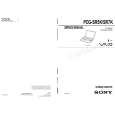
PCGSR7K SONY
Owner's Manual

Complete owner's manual in digital format. The manual will be available for download as PDF file aft…
>
Parse Time: 0.187 - Number of Queries: 139 - Query Time: 0.044