|
|
|
Categories
|
|
Information
|
|
Featured Product
|
|
|
 |
|
|
There are currently no product reviews.
 ;
Having bought a pre-owned Sony FM stereo tuner through eBay, it came without any manuals. It soon became clear that to get the best from this excellent tuner I needed a decent manual because much of the operation was not intuitive to a newboy to hi fi like me. I managed to download the official Sony multi-lingual manual from Owner-Manuals.com with no problem at all - a really quick and easy service. I'm very glad I did because I found out all the operations of the tuner and was then able to not only set it up quickly but also to get much more from it that poke-and-hope trialling would ever achieve. In my book $4.99 very well spent.
;
This manual is immaculate in it's accuracy. Everything is written very clearly and easy to understand. Written by a professional who wants to convey a clear and easy to understand message!!
;
This Manual (as downloaded) is both informative and comprehensive and has proved to be extremely useful. thoroughly recommended.
;
everything is ok, thank you very much! Product is good, no problems with download!
;
Great site, I always find all the manuals I need and i can't find anywhere else. PDF for the Sony PCM 3348 is complete and scan is good quality. Thank you!
Installation des USBTreibers
Hinweis
Die nachstehenden Anweisungen beziehen sich auf Windows 98. Je nach dem Betriebssystem in das der Treiber eingebunden wird, können manche Teile des Installationsverfahrens unterschiedlich sein.
� �USB Audio Device� unter �Sound, video and game controllers� � �USB Composite Device� unter �Universal Serial Bus controllers�
1 2
Starten Sie Windows, und schlie�en Sie alle aktiven Anwendungen. Verbinden Sie den CAV-U5 über das mitgelieferte USB-Kabel mit dem PC. Daraufhin erscheint die Aufforderung �Add New Hardware Wizard�. Folgen Sie den Anweisungen des Assistenten. Hinweis zu Windows Me
Je nach Konfiguration Ihres PCs erscheint u.U. vor �USB Composite Device�. Dies hat jedoch keinen Einfluss auf den Betrieb des Systems (PC und System-Stereokomponente).
3
�berprüfung des Status der installierten Komponente
Nach der Installation des Treibers ist unbedingt der Status der installierten Komponente zu überprüfen.
4
Klicken Sie auf �OK�, um das Dialogfeld �System Properties� zu schlie�en.
1 2
�ffnen Sie das Control Panel. Wählen Sie im Startmenü �Settings� und dann �Control Panel�. Doppelklicken Sie auf das Systemsymbol. Daraufhin erscheint das Dialogfeld �System Properties�.
Einstellung der MultimediaParameter am PC
Voraussetzung für die Wiedergabe einer CD im CD-ROM-Laufwerk oder einer auf der Festplatte gespeicherten MIDI-Datei über die am PC angeschlossene Stereosystemkomponente ist die Einstellung der Multimedia-Parameter am PC.
3
Klicken Sie auf Kategorie �Device Manager�. Vergewissern Sie sich, da� die nachstehenden Komponenten im Fenster �Device Manager� aufgelistet sind.
1
�ffnen Sie das Control Panel. Wählen Sie im Startmenü �Settings� und dann �Control Panel�.
Forts.
5-DE
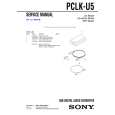 $4.99 PCLKU5 SONY
Service Manual Complete service manual in digital format (PDF File). Service manuals usually contains circuit diagr…
|
|
|
> |
|