|
|
|
Categories
|
|
Information
|
|
Featured Product
|
|
|
 |
|
|
There are currently no product reviews.
 ;
Thank you for providing this manual and at low cost.
The Philips scope is of excellent quality, longevity and build and had a couple of faults
when it was passed to me. Having the CCT diagrams is a blessing.
I have fixed the problems and also modded the scope to my requirements.
I have built a 24v Li-Ion pack for portable use from old but good laptop batts.
it is working beautifully and I am well pleased. Keep up the good work Guys.
 ;
manual was very helpful in learning how to propery use my washer. I could not find this manual anywhere else.
;
Awesome quality manual. You really saved my bacon with this one. Was looking for some specific information with regards to my "new" vintage VCR that didn't come with the owners manual. This site is truely a goldmine of available manuals. The quality of the scans are top notch.
Thank-you so much for this awesome manual. If you're looking for this Sony SL-HF400 owners manual, this is the one you NEED to buy. Definitely worth the money.
;
The manual was made available promptly. I is a clean scan of the original. I had no problem downloading it. The scan was well centered and cleanly formatted. It is as good a product as can be had without being the original document.
;
Received downlink in less then 8 hours, Item was in good copy condition, and told me how to program the clock timer. The price was very resonable, and the process was very automated and was GREAT to work with.
Inserting the Wireless LAN PC Card
If you are inserting the 5GHz Wireless LAN PC Card PCWA-C500 for the first time, see Quick Start Guide for details.
This section explains how to insert and remove the Wireless LAN PC Card from your computer. You do not need to turn off your computer when inserting the Wireless LAN PC Card.
To insert the Wireless LAN PC Card:
1
If your computer has a PC card slot protector, remove it from the computer.
Some computers offer a PC card slot protector to prevent damage to the PC card slot while it is not in use.
2
Insert the Wireless LAN PC Card in the PC card slot.
Note If you have an upper and a lower PC card slot, use the upper slot for the Wireless LAN PC Card. If you insert the card into the lower slot, the card's antenna may block the upper slot. See also �Notice for users who have a computer with an upper and a lower PC card slot� on page 14.
Push the Wireless LAN PC Card into the slot until it is firmly seated. Inserting the card will extend the eject button. If the card does not fit easily, do not force it. Remove the card and reinsert it.
Getting started
Insert the card in the direction of the arrow.
13
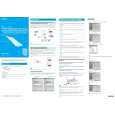 $4.99 PCWA-C500 SONY
Quick Start Quick start guide ( sometimes called quick guide ) contains most important information on how to use…
|
|
|
> |
|