|
|
|
Categories
|
|
Information
|
|
Featured Product
|
|
|
 |
|
|
There are currently no product reviews.
 ;
This was a hard to find manual. When I did find it , some sites wanted way too much for the file.
Owner-manual .com had it for a really reasonable price. Not only that but it was sent very quickly and was a quality scanned document, unlike some others I purchased from a different site.
Good job guys!!
Larry
;
Fast and courteous service. Product delivered as described. Thank you.
;
Last week I bought a second hand Panasonic AG-7500 SVHS Hi-Fi Video Cassette Recorder. It is a professional machine with many video and audio options. I feared it would be a huge quest to find a manual. I was delighted when I found owner-manuals.com. After payment I received the file to download the next day already. The quality is great. I am very happy. Thanks!
;
The owner's manual/operating instructions that I purchased was the original factory document and it was in at least three and maybe more languages. I no longer have it because I sold the tape recorder and included the owner's manual/operating instructions and a service/repair manual that I bought on ebay for the new owner.
;
This manual is very useful. Because pioneer sx-q180 is unhandy to use without manual.
Adjustment for Positional Sensing with the TD-8 or the TD-10
When the TD-8 or the TD-10 is used as the sound module, the location at which the pad is struck can be varied to produce tonal changes. In this case, it is important to adjust the head so the tension is evenly distributed, so the striking location can be detected accurately. For details on adjustments, refer to the TD8 or the TD-10 owner�s manual.
Connecting to the Percussion Sound Module
921
To prevent malfunction and/or damage to speakers or other devices, always turn down the volume, and turn off the power on all devices before making any connections.
The TD-10 owner�s manual assumes use of the PD-100 and PD-120 pads in its explanation. If you are using the PD-80 or PD-80R, however, make adjustments while striking them 1 inch (3 cm) from the rim. Sound Module Trigger inputs that allow positional sensing TD-8 TD-10 3 (SNARE) 2 (SNARE)
When you have finished connecting to your drum sound module, refer to the recommended parameters on p. 2, and make the settings for the sound module.
Connecting to the TD-6V, TD-8, TD-10, HPD-15, SPD-20, or SPD-S
� Use the included cable to make connections. � With the PD-80R, make sure to use the supplied stereo cable when connecting it. Otherwise (if you use a monaural cable), you won�t be able to employ striking location detection, rim shot, and cross stick playing techniques. � Connect the L-shaped plug of the included cable to the PD-80/80R. This will prevent strain from being applied to the PD-80/80R.
Attaching the Pad to a Stand
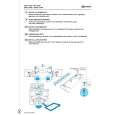
Attach the PD-80 or PD-80R to a stand (MDS series).
fig.P02.e
Tighten
Correspondences Between Playing Techniques and Percussion Sound Modules
Loosen Sound Module TD-6V TD-8 TD-10 Rod Pass the rod through the pipe that is inside the holder. TD-10 (TDW-1) HPD-15 SPD-20 When attaching the PD-80/80R to a tom stand, check the dimensions of the rod. Depending on the dimensions of the rod, it may not be possible to attach the pad to the stand. SPD-S Trigger Input 2 (SNARE) 3 (SNARE) 2 (SNARE) 2 (SNARE) 1, 2 1, 2 1, 2 Rim Shot o o o o o o o Cross Stick o o � o � � � Positional Sensing � o o o � � �
* Rim shots and cross-stick performances can be made only with the PD-80R.
Acceptable rod diameters: 8.5�11.5 mm (3/8 to 1/2 inch)
Connecting to the TD-5, TD-7 or SPD-11
� Use the included cable to make connections. � Connect the L-shaped plug of the included cable to the PD-80/80R. This will prevent strain from being applied to the PD-80/ 80R. � It is not possible to play rim shots even if you connect the PD-80R to the TD-5, TD-7, or SPD-11.
6
Next
|
|
|
> |
|