|
|
|
Categories
|
|
Information
|
|
Featured Product
|
|
|
 |
|
|
There are currently no product reviews.
 ;
Great value service manual!
Good-quality scans. Detailed and valuable informations.
A+++++++++++++++
;
Great value service manual!
Good-quality scans. Detailed and valuable informations.
A+++++++++++++++
;
Excellent scan quality. A complete and very useful manual with all details.
Great service at low price A+++++++++++++++++
;
The manual is very good quality. very good graphics. complete
;
Excellent printing quality.
A complete and very usefull service manual with all details.
GREAT SERVICE AT VERY LOW PRICE!
A+++++++++++++++++++++++++
PDP-503CMX, PDP-503MXE, PDA-5002
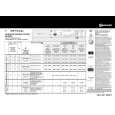
6.3 ADJUSTMENT
6.3.1 Video Card Adjustment
� Adjust after controlling each IC. � Perform it from step 1 to step 6 every each input signal.
NTSC PAL SECAM 443NTSC INPUT4 PALM PALN NTSC PAL
INPUT3
Step
Adjustment Item
Input Signal
Control
Measuring Point
Adjusting Value
Adjusting Method
Adjust Level so that the peak to peak of waveform becomes 700 mVp-p.
1
Y Level Adjustment (IC7130)(SA83)
RAMP
IC7302
CN7401-pin 3 700mVp-p
a 700mVp-p
a: Adjust Offset so that the pedestal level becomes fixed. b: Adjust Level so that the peak to peak of waveform becomes 525 mVp-p. 2 R-Y Offset Adjustment (IC7130)(SA88) Color-Bar IC7302 CN7401-pin 7 525mVp-p b a 525mVp-p
3
B-Y Offset Adjustment (IC7130)(SA88) Color-Bar TINT IC7302 CN7401-pin 5 525mVp-p
a: Adjust Offset so that the pedestal level becomes fixed. b: Adjust TINT so that the height ratio of each stair step waveform becomes fixed. c: Adjust Level so that the peak to peak of waveform becomes 525 mVp-p. b b b a c 525mVp-p
4
Adjustment (IC7130)(SA80)
a: Adjust Offset so that the pedestal level becomes fixed. b: Adjust Level so that the peak to peak of waveform becomes 525 mVp-p. 5 R-Y Level Adjustment (IC7103) (SA101) Color-Bar IC7103 CN7401-pin 7 525mVp-p b a 525mVp-p
6
B-Y Level Adjustment (IC7103) (SA100)
Color-Bar
IC7103
a: Adjust Offset so that the pedestal level becomes fixed. b: Adjust TINT so that the height ratio of each stair step waveform becomes fixed. c: Adjust Level so that the peak to peak of waveform becomes 525 mVp-p. b CN7401-pin 5 525mVp-p b b c a 525mVp-p
Each adjustment value which adjusted, store the adjustment data in IC7104.
102
|
|
|
> |
|