|
|
|
Categories
|
|
Information
|
|
Featured Product
|
|
|
 |
|
|
There are currently no product reviews.
 ;
Je suis audiophile belge, électronicien et créateur d'enceintes acoustiques.
J'ai apprécié la qualité des documents fournis. Ils sont très lisibles, ils peuvent être agrandis sans problème et ils sont complets. Pour moi, c'est parfait. Pour cette qualité, je suis d'accord de payer. Et le système de paiement et d'envoi est simple. Merci, continuez comme cela.
Frédéric
;
The cover page was a little scary, very dark but readable. The remainder of the document was better copy and easily readable. Why would I give 5 Stars? (1) PRICE, (2) AUTHENTICITY, It was the real deal, filled with service information, including the specific information I required. (3) PRIVACY, I didn't start to get slammed with spam. (4) EASY TRANSACTION. Painless. (5) COMPLETE, I have found several manuals here, that I could find nowhere else. (6) I will be a repeat customer!
;
Well done!!! I found what I need to have, indeed!
Furthermore, due to my hobby is repairing vintage equipments, I added this web site in my desk toolbar because I have in mind to search further service manuals. Thanks a lot www.owner-manuals.com !
Regards, Maurizio
;
Again very good service manual, this time very fast download. AAAAA+
;
Ckear manual, well reproduced with plenty of overlap on critical pages.
PDR-609
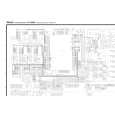
6.7.13 Focus Bias Adjustment
Test Point Adjustment Value Purpose Symptom when Out of Adjustment CN102-pin 2 (RF) Minimize jitter value Optimizing DC offset voltage of focus servo loop circuit including pickup. Focus-in does not function, sound pauses, bad RF wave shape, or incapable to playback some discs. Adjustment method [Procedure]
1. Move the Pickup to center of the disc by pressing the SCAN key. ( 1 ¡ ) 2. Monitor the jitter value and set a CD disc. (use the jitter meter) 3. Press the FINALIZE key to FOCUS IN. 4. Press the PLAY/PAUSE key to turn the SPINDLE. (CAV) 5. Press the PLAY/PAUSE key to TRACKING ON. (EFM CLV) 6. Adjust the JOG key so that jitter value becomes minimum. 7. Press the ENTER key to register the adjustment. \ Shift to the RFDC Level Adjustment automatically. 8. Adjustment is completed automatically. \ Each display the reason that became abnormal when adjustment was not completed normally. When did not converge in limit of adjustment possibility (when it became the lowest level) When failed in writing to the EEPROM 9. Press the STOP key to stop the operation.
FL Indication
Caution:
In this adjustment, shift to the RFDC Adjustment when pressing the ENTER key before step 7, and there is it when completed in normal on the indication. However, must not omit operation of steps 5 from 3 because RFDC is not adjusted to normal when pressing the ENTER key with the state that steps 5 from 3 are not executed.
CN102
RF 2 10: 1 prove VC 6 Oscilloscope
How to execute the automatic adjustment once again after the automatic adjustment is completed: 1. Press the STOP key to stop the disc rotation. (servo OFF) 2. Press the AUTO/MANUAL key and shift to the Focus Offset adjustment. 3. Press the RECORD key to start the automatic adjustment. Adjust from "6.7.11 automatic Adjustment Start" to "6.7.13 Focus Bias Adjustment". Press the STOP key when stops execution of the automatic adjustment on the way and stop processing. Then return to the state of "6.6.10 Preparations" and stop the operation.
62
|
|
|
> |
|