|
|
|
Categories
|
|
Information
|
|
Featured Product
|
|
|
 |
|
|
There are currently no product reviews.
 ;
This manual is very good. 303 pages scanned in a very high resolution. My camera has bad, leaking capacitors which all of the V5000 models are suffering from these days.
There is a huge part list with all capacitors, transistors etc. in this manual which helped me a lot. Otherwise I would not have been able to buy replacement parts.
The dissassembly guide is very enormous and detailed. Unlike on the Panasonic MS1 manual I downloaded here it actually looks like the real parts look. And the screws are labeled correctly, so you shouldn't have any left after the repair. ;)
;
has all the schematics you could need,and very well laid out format also has all part numbers along with an exploded view which is helpful
 ;
Very nice to have! Now it is no problem to understand how it is put together.
Helps me a lot.
;
good scans, all is clear. all pages in order. recommended
;
Très-très bon site, facile, très bon prix.
Au futur besoin, je n’hésiterais à faire appel à vous.
Merci
PG-M20S PG-M20X
Bedienelemente
Projektor (Vorder- und Draufsicht)
LAMP-Anzeige (Lampenaustausch)
Leuchtet normalerweise grün. Die Lampe austauschen, wenn die Anzeige rot leuchtet.
TEMP.-Anzeige (Temperaturwarn)
Leuchtet normalerweise grün. Wenn die interne Temperatur ansteigt, leuchtet diese Anzeige rot.
POWER-Anzeige (Netz)
Leuchtet rot, wenn sich der Projektor im Bereitschaftsbetrieb befindet. Wenn die Stromversorgung eingeschaltet ist, leuchtet diese Anzeige grün.
INPUT-Taste
Für das Umschalten zwischen Eingangsmodus 1, 2 und 3.
POWER-Taste
Schaltet die Stromversorgung ein oder aus.
MENU-Taste
Für die Anzeige des Justierungs- und Einstellungsbildschirms.
LENS-Taste
Für das Einstellen der Trapezverzerrungs- oder Digitalen Verschiebungs-Einstellung.
VOL-Tasten
Für das Einstellen des Lautsprecher-Tonpegels.
Einstelltasten (
Für die Wahl der Menüpunkte.
)
UNDO-Taste
Für das Rückgängigmachen eines Bedienschrittes oder für die Rückkehr zu den Grundeinstellungen.
ENTER-Taste
Für die Einstellung der gewählten oder eingestellten Menüpunkte.
AUTO SYNC-Taste
Für das automatische Einstellen von Bildern, wenn ein Computer angeschlossen ist.
AV MUTE-Taste
Für das vorübergehende Ausschalten des Tons und des Bildes. Zoom-Knopf
Fokusring
Anschlussabdeckung Lautsprecher Fu�entriegelungen/ Einstellfu�
Für das Einstellen der Projektorhöhe. Befestigen der Anschlussabdeckung Die Anschlussabdeckung an der Projektorseite befestigen und eindrücken, wie in der Abbildung gezeigt.
Fernbedienungssensor
52
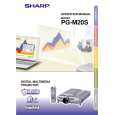 $4.99 PGM20S SHARP
Owner's Manual Complete owner's manual in digital format. The manual will be available for download as PDF file aft…  $4.99 PG-M20S SHARP
Parts Catalog Parts Catalog only. It's available in PDF format. Useful, if Your equipment is broken and You need t…
|
|
|
> |
|