|
|
|
Categories
|
|
Information
|
|
Featured Product
|
|
|
 |
|
|
There are currently no product reviews.
 ;
Perfect quality, highly appreciated service !!!
Fast delivery of the download info, no issues at all. Recommended E-manual shop !!!
;
hi owners manual- crew,
i am very satisfied about the trade with you.
if i need some other manuals, i will contact you again.
thanks
frank kappler
;
Full Panasonic service Manual, as described, no problems
;
This place is amazing. Got our manual in a few hours. Print quality is excellent. Even the manufacturer didn't have this manual. The price was excellent. How many more stars can I give them? More than satisfied.
;
This was a very hard to find manual. The unit is long discontinued and Pioneer doesn't retain every manual for every model. Thanks owner's-manual.com!
Troubleshooting
Symptom The power is not on. Remedy � Connect the AC power cord to a wall outlet securely. � Set the MAIN POWER switch on the side of the player to ON. � Make sure that the speakers are connected correctly. � Make sure the function you want to use appears in the display. � Adjust the volume. � Unplug the headphones when listening through speakers. � Insert the CD with the label surface up. Make sure that the CD compartment is closed. Place the CD with the label surface up. Clean the CD. Take out the CD and leave the CD compartment open for about an hour to dry moisture condensation. � Make sure �CD� appears in the display. � Reduce the volume. � Clean the CD, or replace it if the CD is badly damaged � Place the player in a location free from vibration. � Press ST/L/R repeatedly until �STEREO� appears on the TV screen. � Make sure the TV is turned on. � Make sure you select the correct video input on the TV. � Connect the video connecting cord correctly. � An audio CD is being played. � Close the lid of the player. � Make sure the following mark is on the CD. � � � �
(VIDEO CD Player (audio CD) General
There is no audio.
�no disc� lights in the display even when a CD is in place. The CD does not play.
The sound drops out.
The sound seems to lose the stereo effect and becomes monaural. No picture appears on the TV screen.
� You may not play back some illegally duplicated CDs even though they have the above mark printed. In this case, consult the shops where you bought the CDs.
34
Additional Information
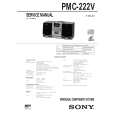 $4.99 PMC222V SONY
Service Manual Complete service manual in digital format (PDF File). Service manuals usually contains circuit diagr…
|
|
|
> |
|